
Simply set up jingles in the AutoDJ or Customer Center
In this guide, we will show you how to create jingles easily and effectively in your system. There are two ways to configure jingles, either directly in AutoDJ or in the customer center.
Variant 1: Create jingles in AutoDJ
This variant is suitable for most users, as the jingles are automatically integrated into the song flow.

Steps to set up:
- Go to the AutoDJ area and create a new playlist.
- Select the settings as shown in the screenshot “Example of jingles in AutoDJ”.
- Activate the “Hide metadata from listeners” option if the jingles should not display any information such as title or artist.
- Set the playlist to be played once every 10 songs (setting: Once per x songs, value: 10).
- Optional: Use the Schedule tab to set specific times for the jingles. If no schedule is defined, the settings automatically apply for the whole day.
With these steps, a jingle is randomly selected from the playlist and played after every tenth song. This method integrates jingles seamlessly into the music flow.
Variant 2: Create jingles in the customer center
This variant allows the time-controlled recording of jingles and is suitable for specific requirements.
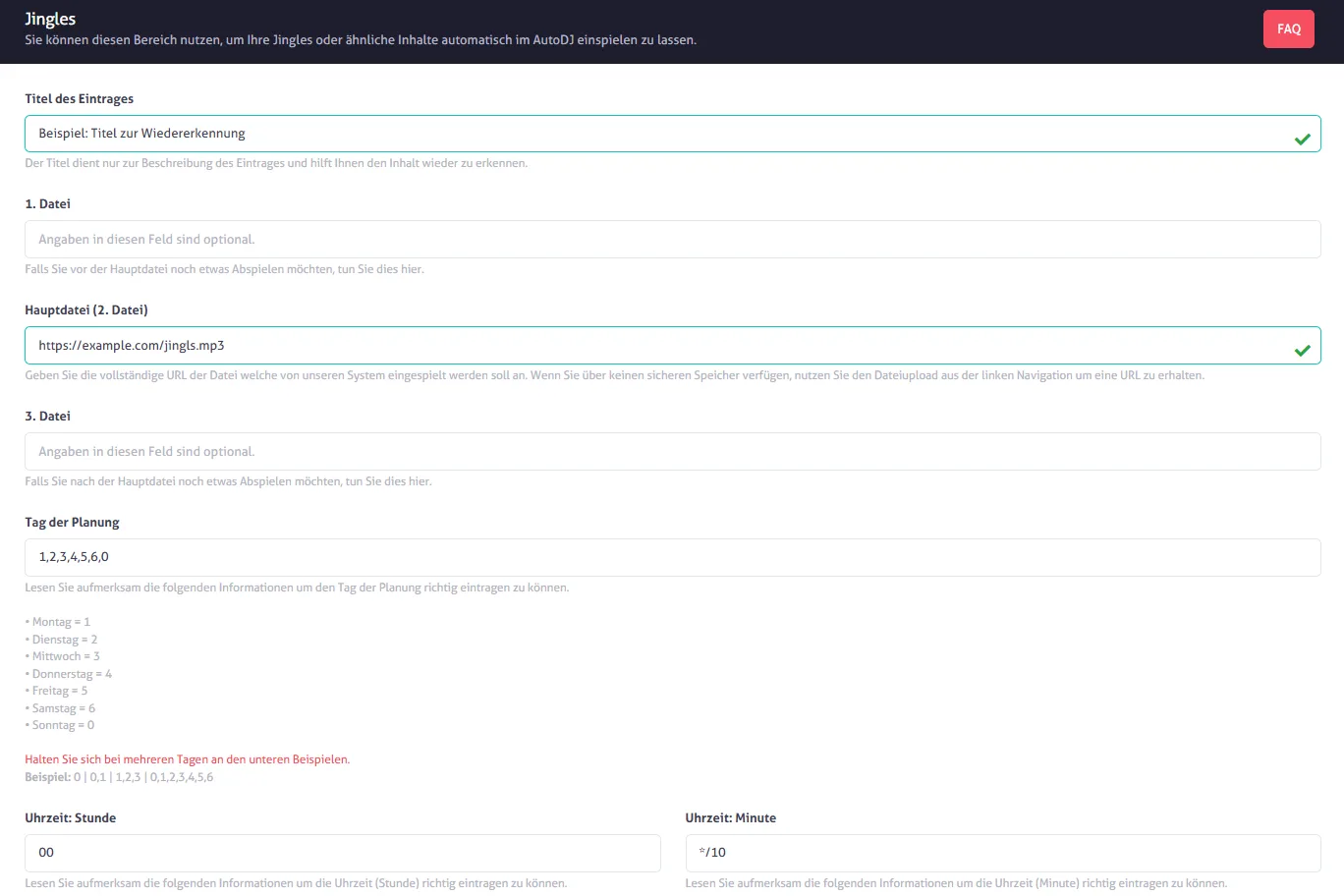
Steps to set up:
- Open the “Jingles” section in the Customer Center.
- Enter a title to recognize the jingle.
- Enter the URL of the jingle file in the “Main file” field (see screenshot “Example of jingles in the Customer Center”).
- Set the day of planning. For a daily recording, select
1,2,3,4,5,6,0(corresponds to Monday to Sunday). - Enter the time for the jingle recording. For example
*/10, so that the jingle is played every 10 minutes.
In this variant, the jingle is played punctually every 10 minutes, regardless of whether a song is currently playing. After the jingle, the interrupted song continues.
What is the best method?
For a smooth flow of music and random jingle playback, we recommend variant 1 with the setup in AutoDJ. However, if you need precise time intervals, variant 2 in the Customer Center is the right choice.
Order summary
Both variants offer you flexibility when setting up jingles. Whether random or time-controlled – with these instructions you can integrate jingles optimally into your system.