
High-Resolution Images of Our Web Radio Environment
Welcome to our product gallery! Here we present detailed, high-resolution screenshots of our web radio streaming solution. Discover the various components and features that make our system unique. Each image offers a clear insight into the quality and professionalism of our web radio platform.

SPCast Administration
Everything at a glance in the SPCast administration interface. The clear menu structure guides you directly to the dashboard, settings, moderators, automation, system overview, and more for fast navigation and efficient control of your web radio station.
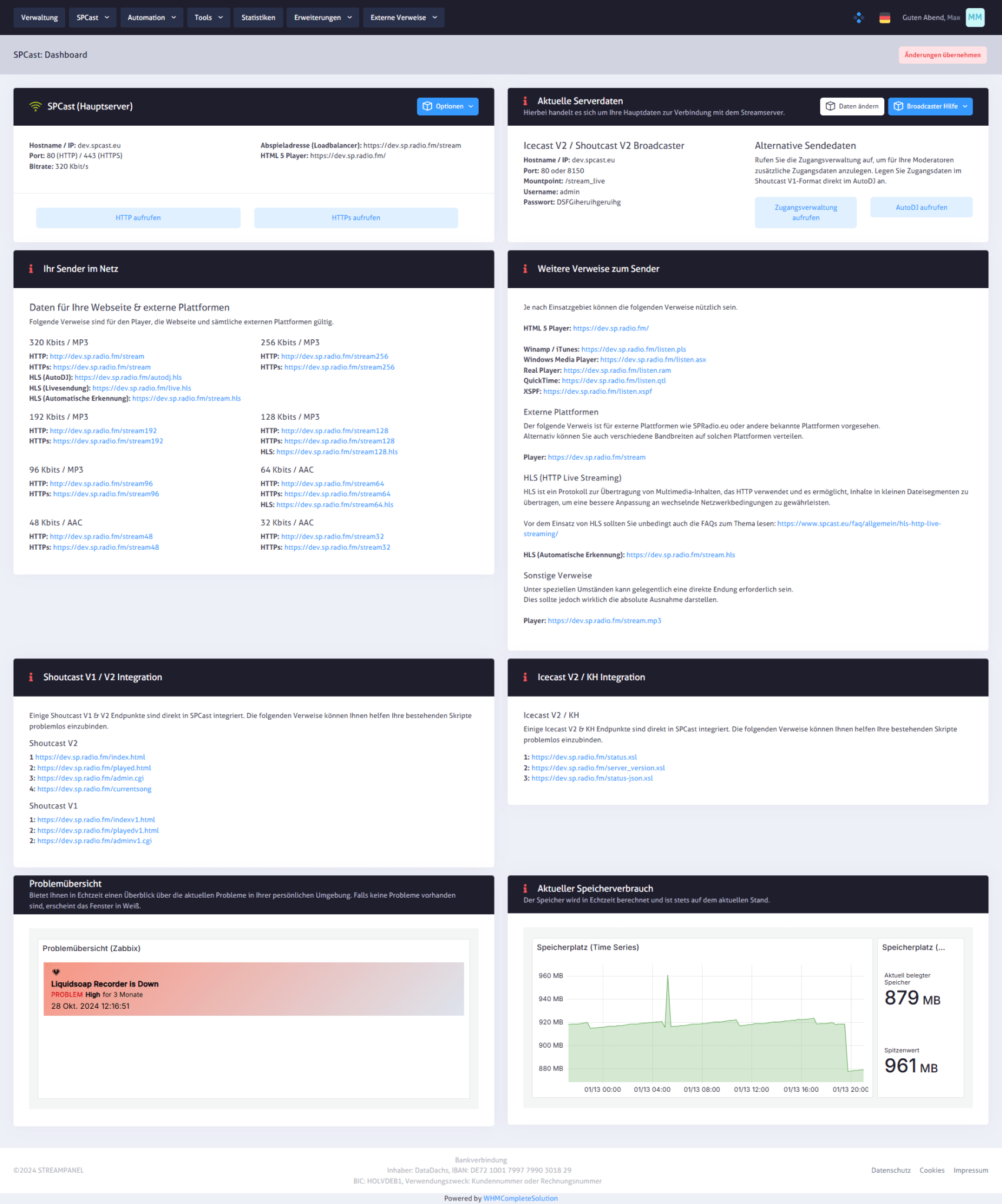
SPCast Dashboard
Get an immediate overview of your streaming environment in the SPCast dashboard. Host and mount point information along with direct action buttons for server controls enable proactive management of your web radio station.
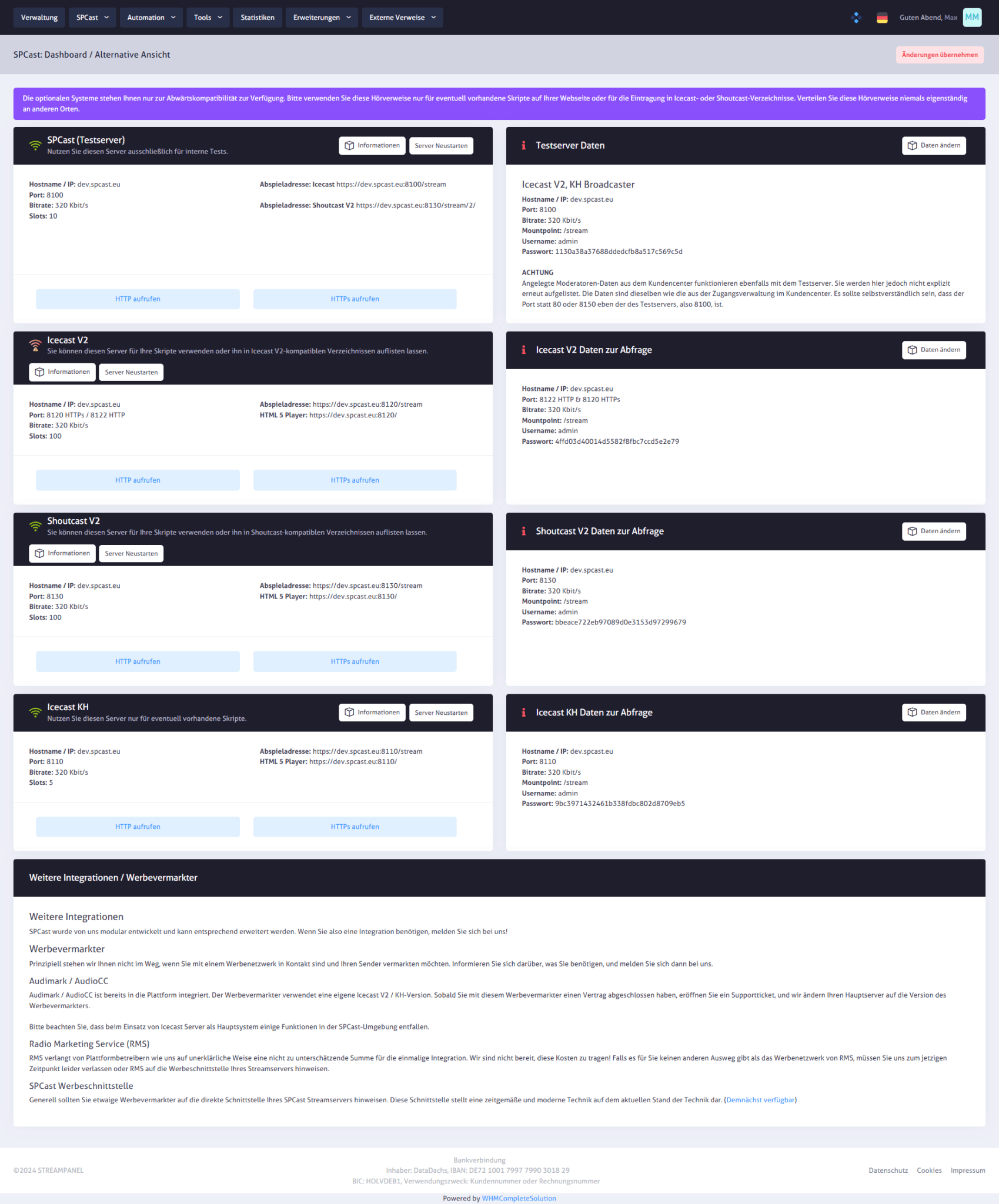
SPCast Dashboard (Alternative View)
In the alternative dashboard view, your streaming servers are arranged side by side—from SPCast to Icecast V2 and Shoutcast V2. Each tile provides quick access to host, port, and mount point details as well as direct server actions such as opening the HTTP page or restarting.
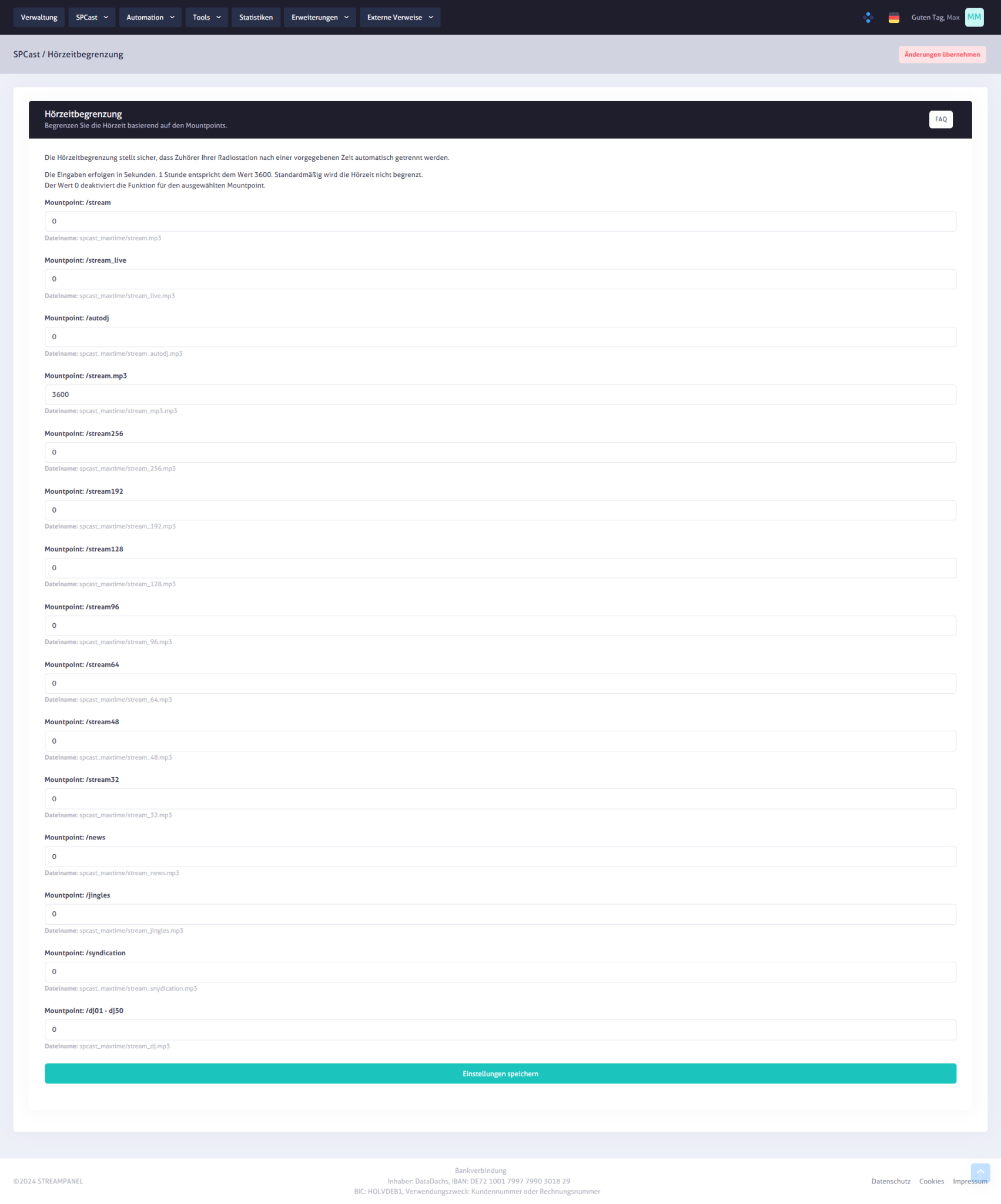
SPCast Settings: Listening Time Limit
Define the maximum session duration for each mount point individually in the listening time limit settings. The clean interface makes configuring time limits straightforward, helping you manage resources and optimize listener bandwidth.
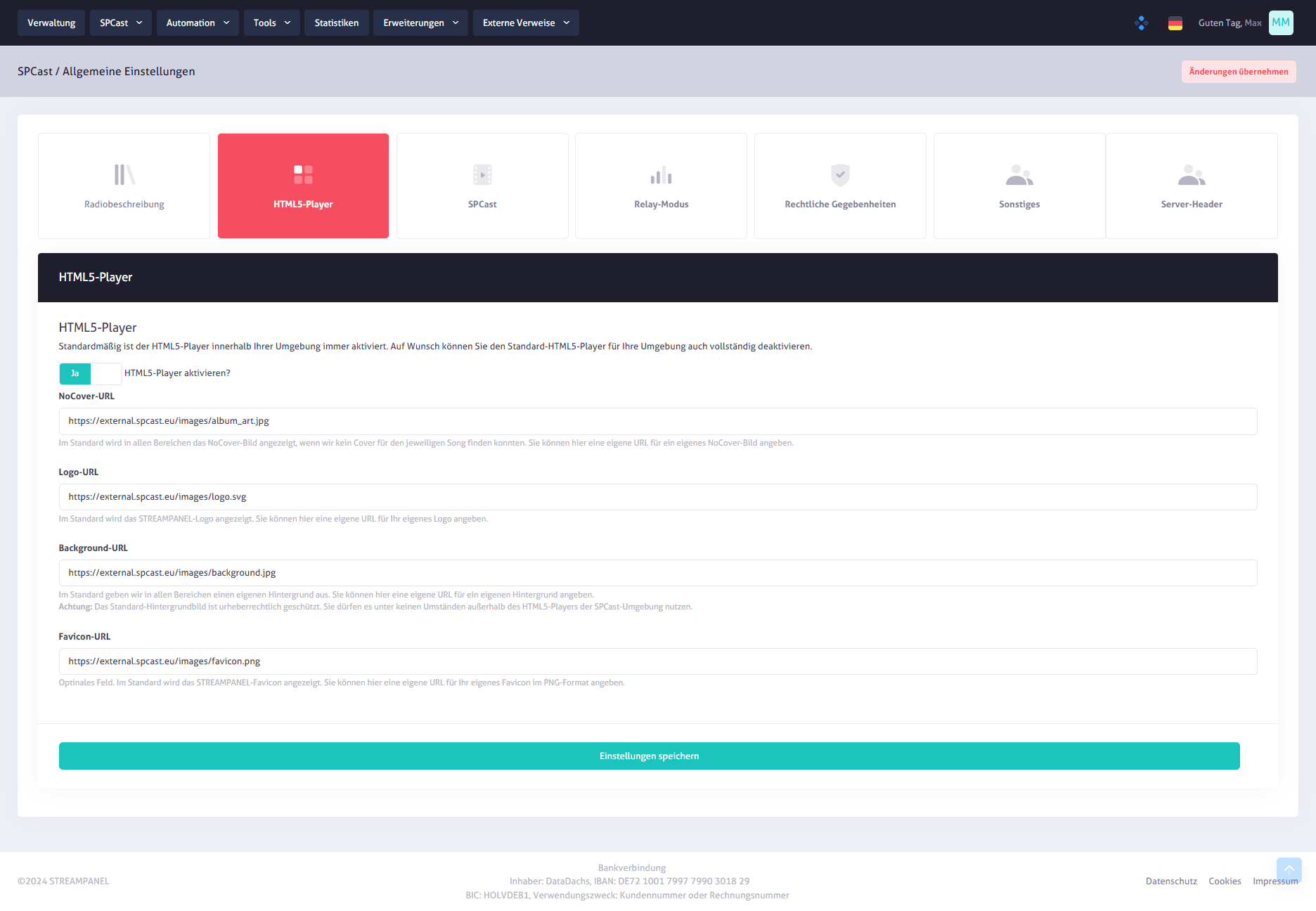
SPCast Settings: HTML5 Player
Customize how your web radio is presented in the HTML5 player settings. Configure track metadata, album cover artwork, volume controls, multi-language support, and track history display to tailor the listener experience.
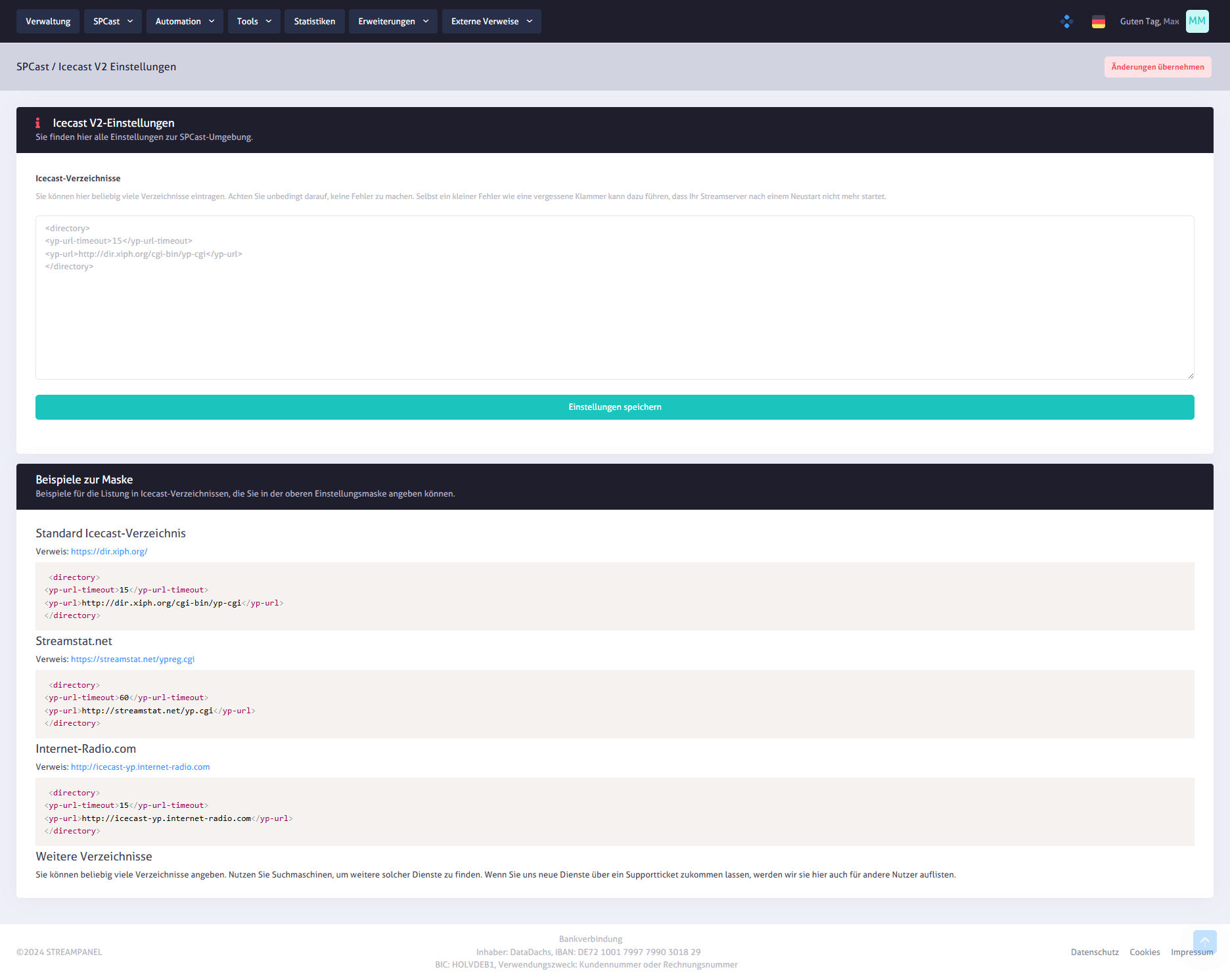
SPCast Settings: Icecast V2
Enter XML directory listings in the Icecast V2 settings to publish your streams accurately. Built-in templates (Default, Streamstat.net, Internet-Radio.com) serve as practical examples for error-free configuration.
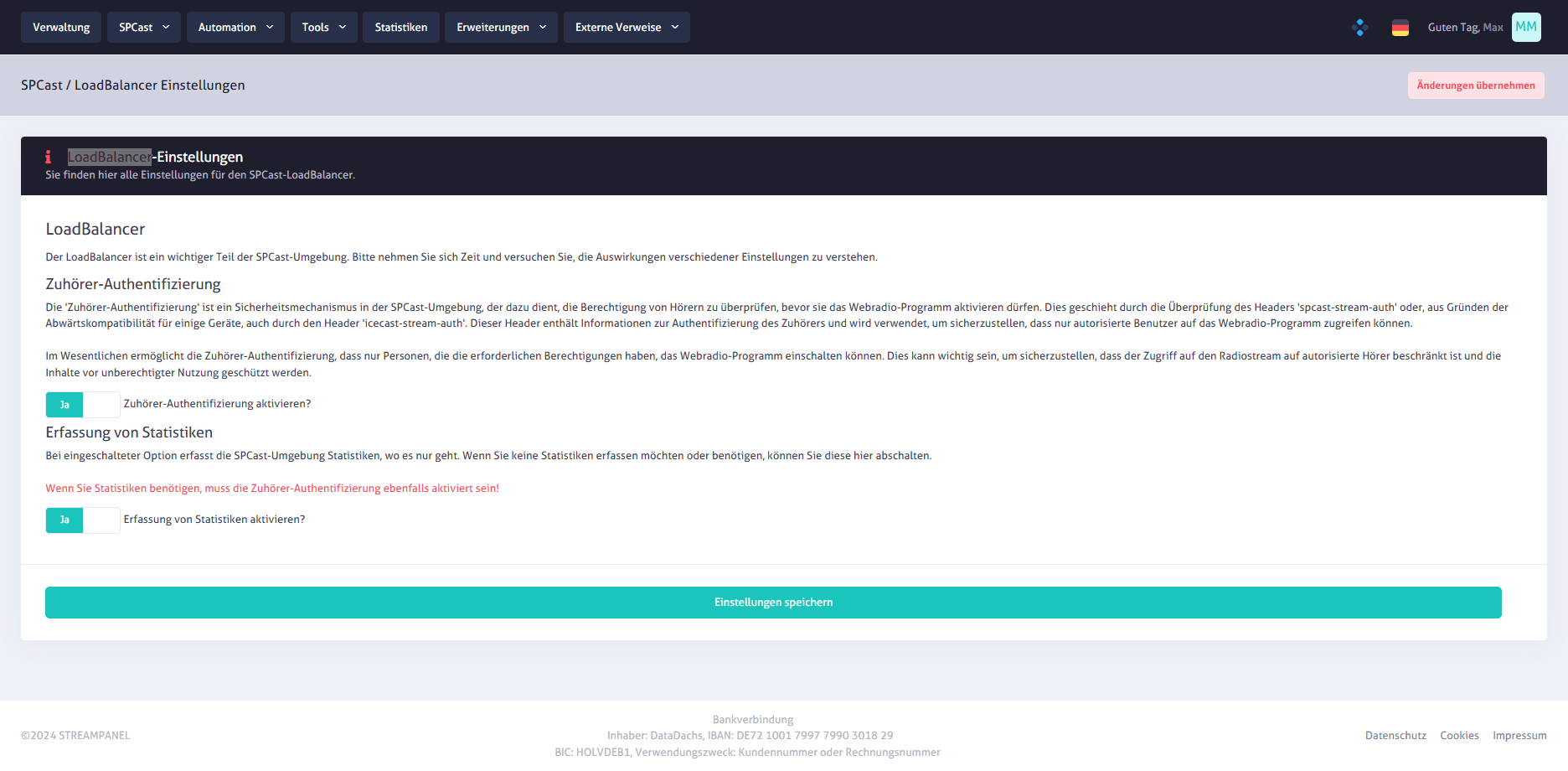
SPCast Settings: Load Balancer
Configure listener authentication and usage statistics tracking for your global streaming infrastructure in the load balancer settings.
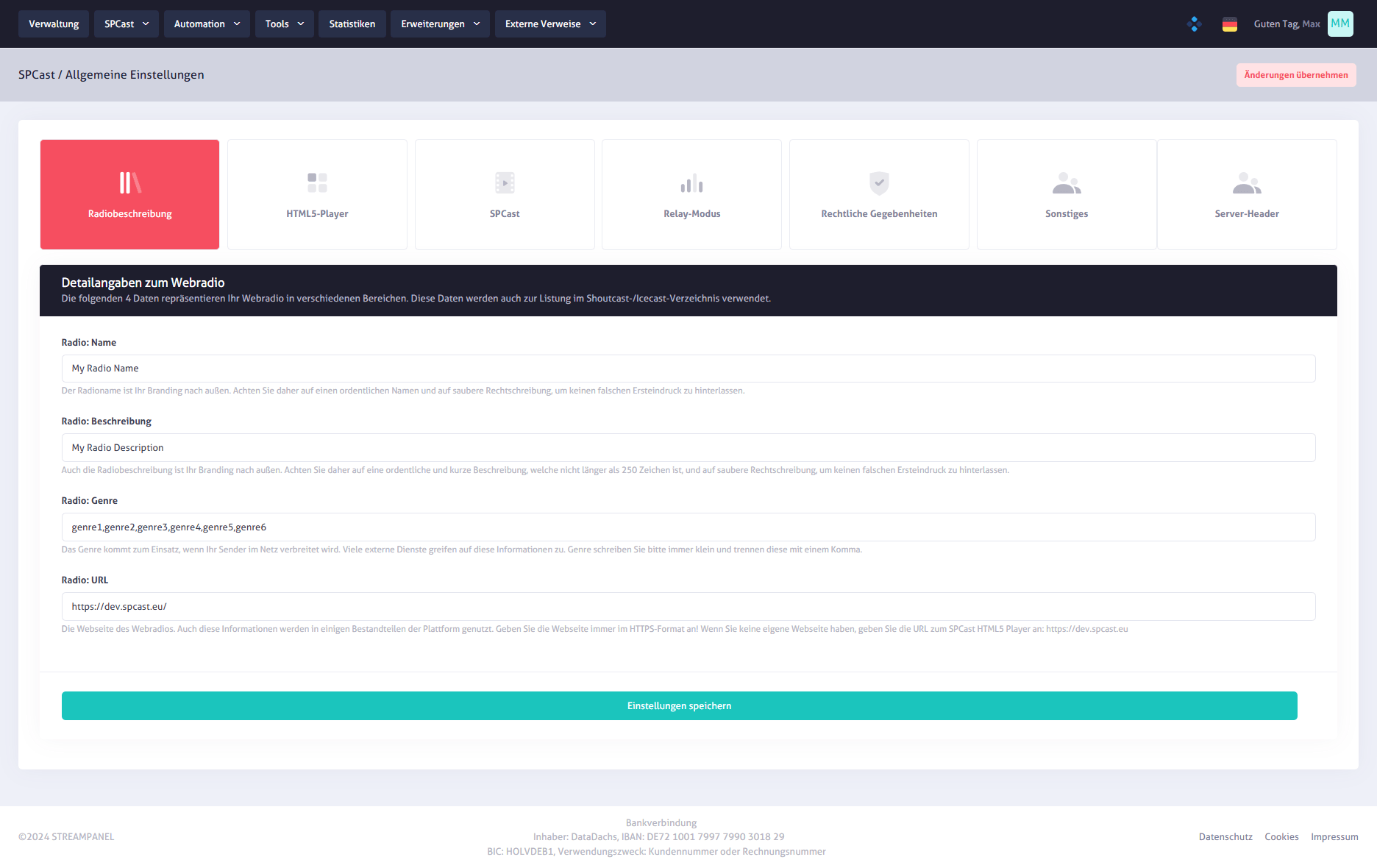
SPCast Settings: Radio Description
Maintain core station metadata in the radio description settings, including station name, description, genre, and website URL so your stream immediately carries the desired information.
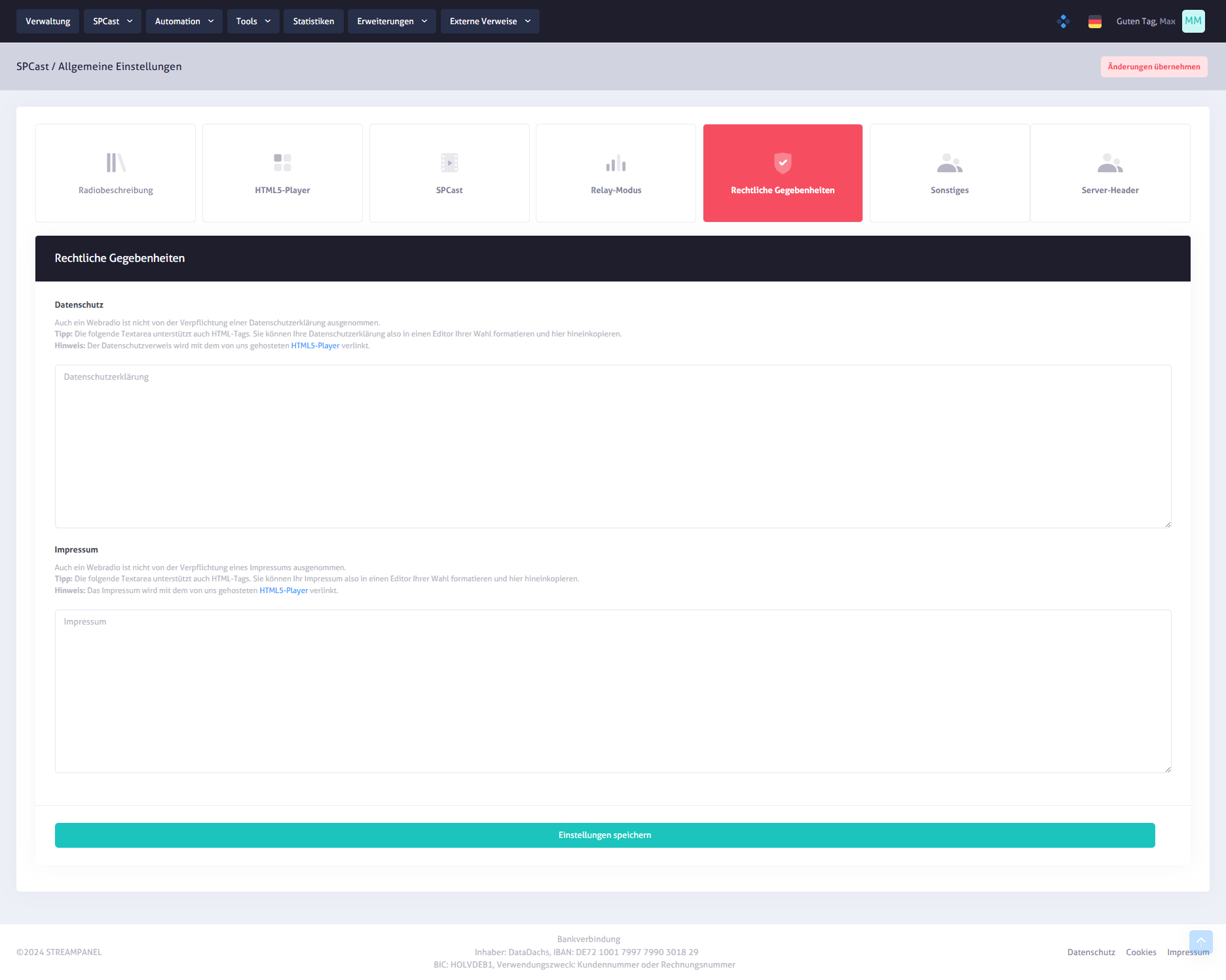
SPCast Settings: Legal Notice & Privacy
Enter your privacy policy and legal notice (imprint) directly in the system. Two dedicated editors allow straightforward text or HTML formatting so you can fulfill legal obligations centrally in one place.
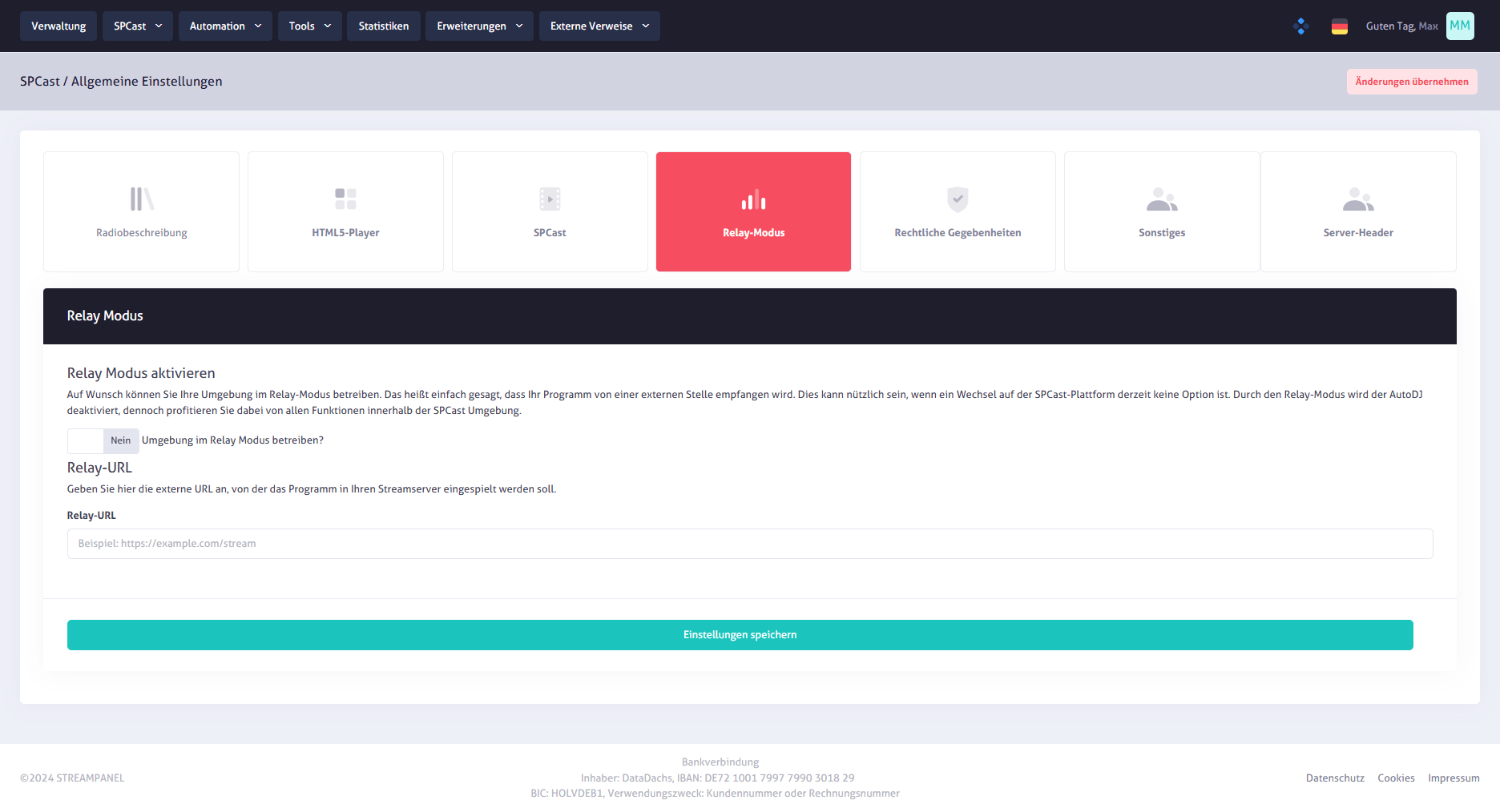
SPCast Settings: Relay Mode
Configure whether your server relays external streams directly. Simply enter the source stream URL and activate relay mode via a clean toggle switch.
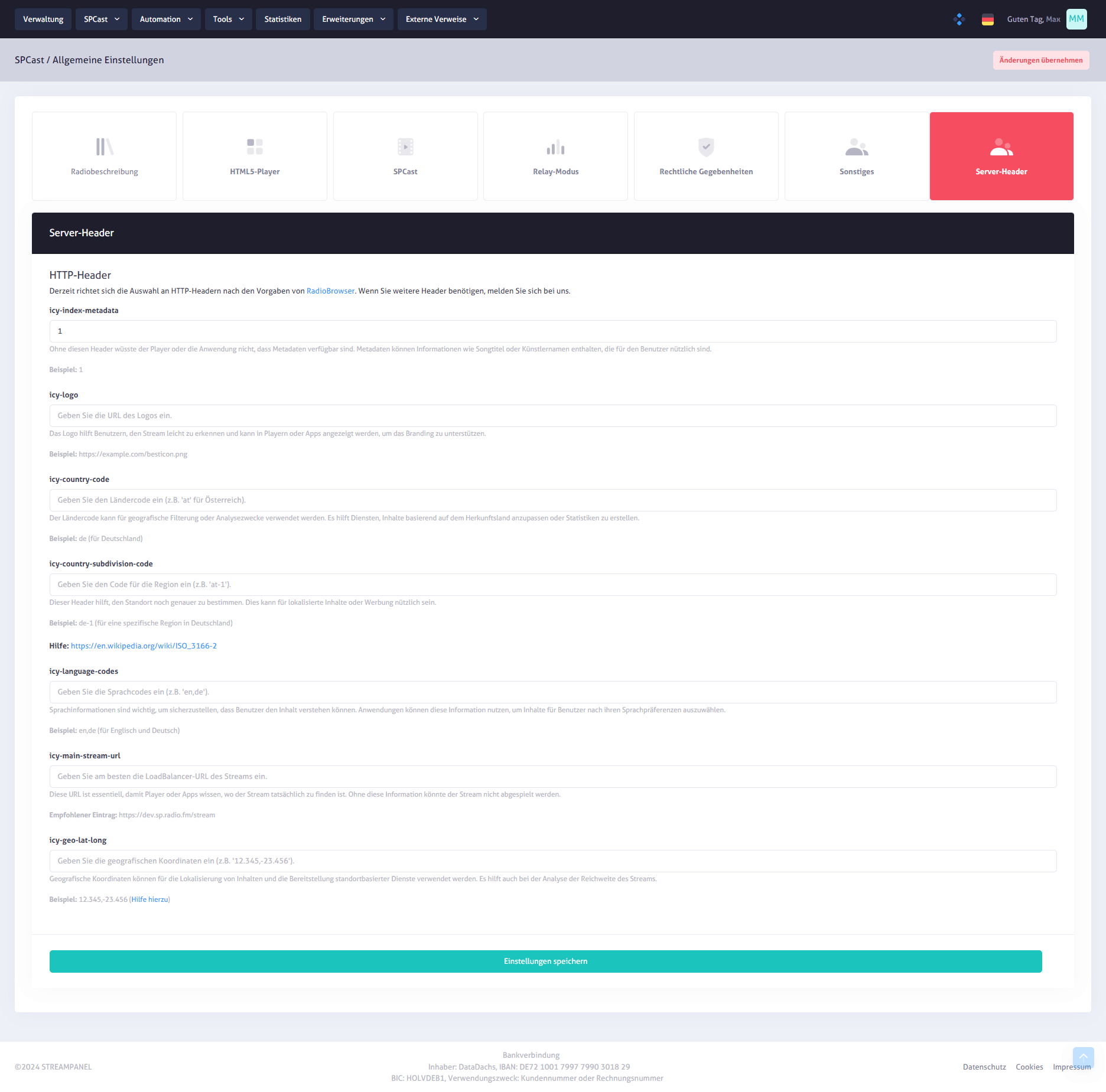
SPCast Settings: Server Headers
Define essential stream header metadata including station name, description, genre, and web URL in a structured form tailored to your streaming configuration.
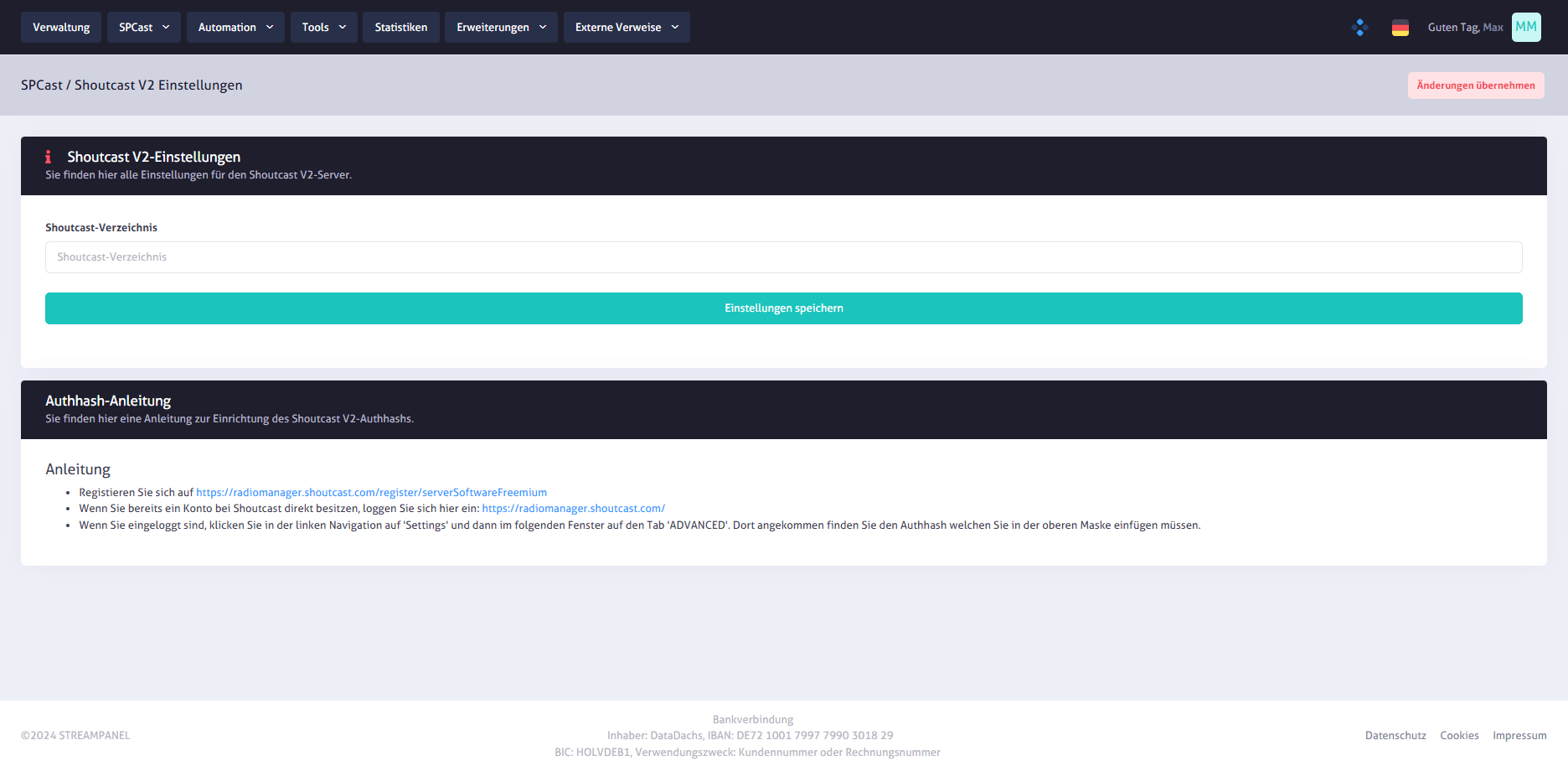
SPCast Settings: Shoutcast V2
Specify your Shoutcast directory listing and follow the step-by-step Authhash guide to link your station in the Shoutcast Manager cleanly and without distractions.
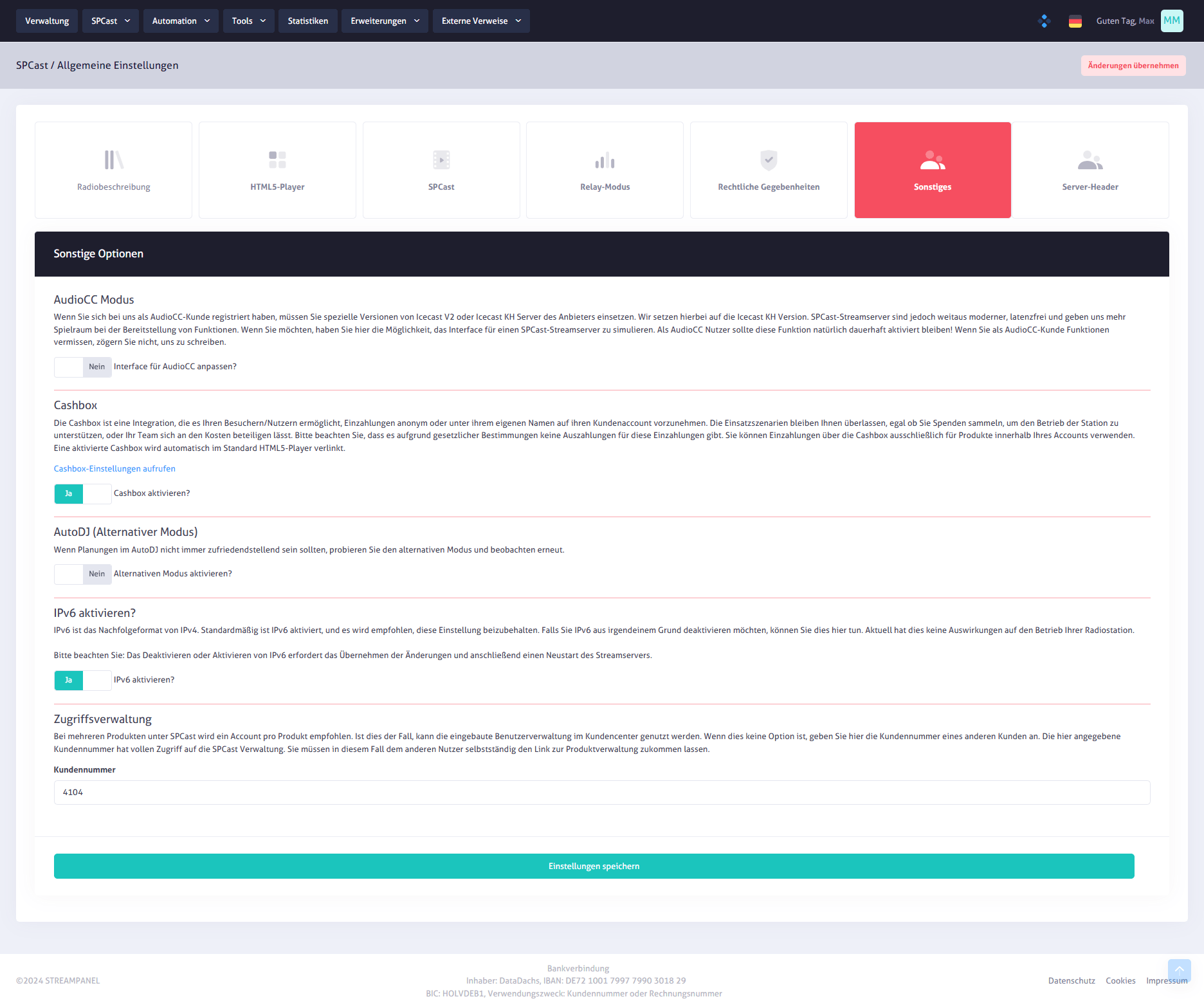
SPCast Settings: Miscellaneous
Control advanced platform options including AudioCC integration, optional Cashbox payment features, alternative AutoDJ mode, IPv6 support, and customer ID access management.
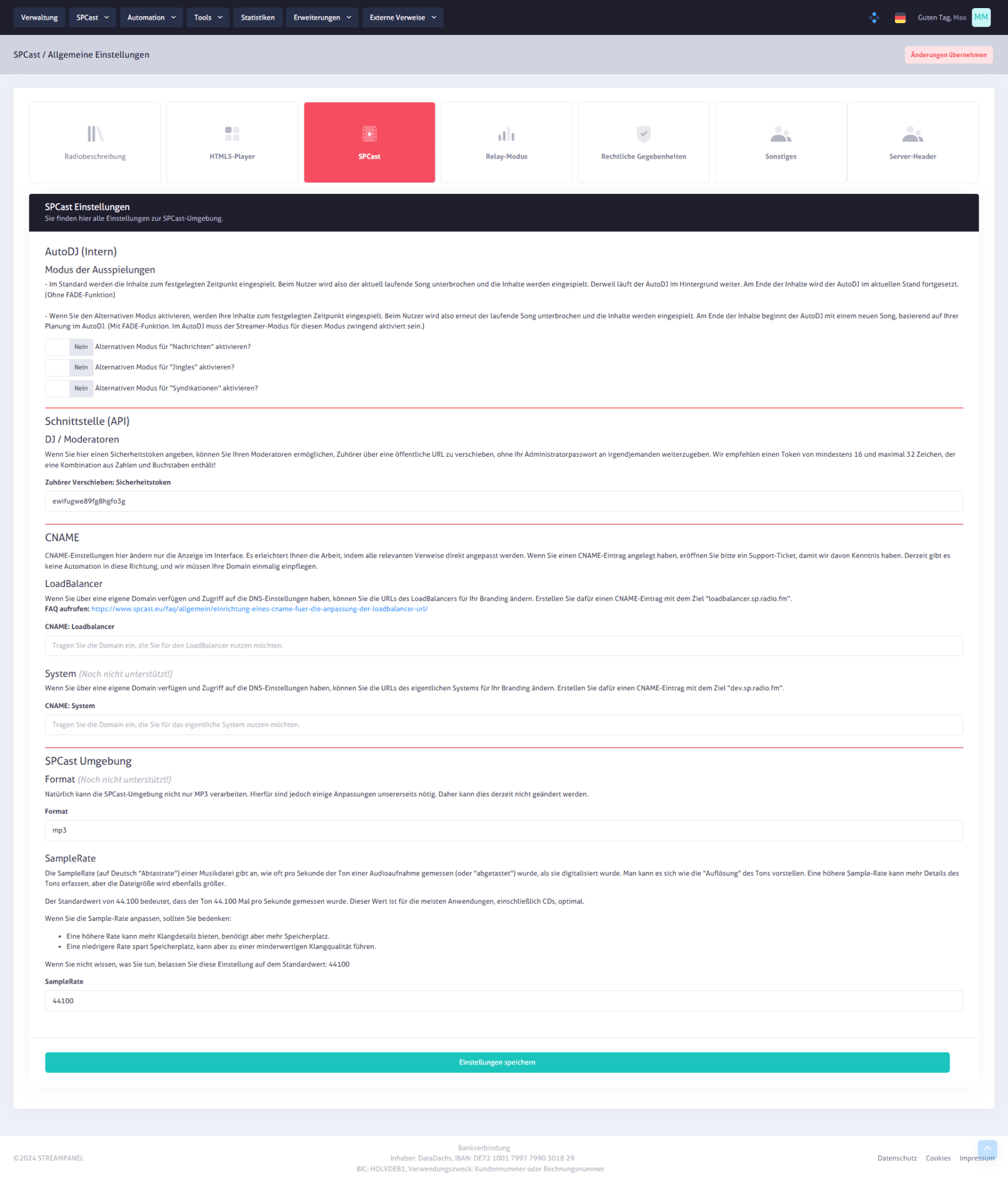
SPCast Settings: Core Configuration
Configure fundamental system settings for your streaming platform. Control core SPCast engine parameters and define how your web radio behaves technically.
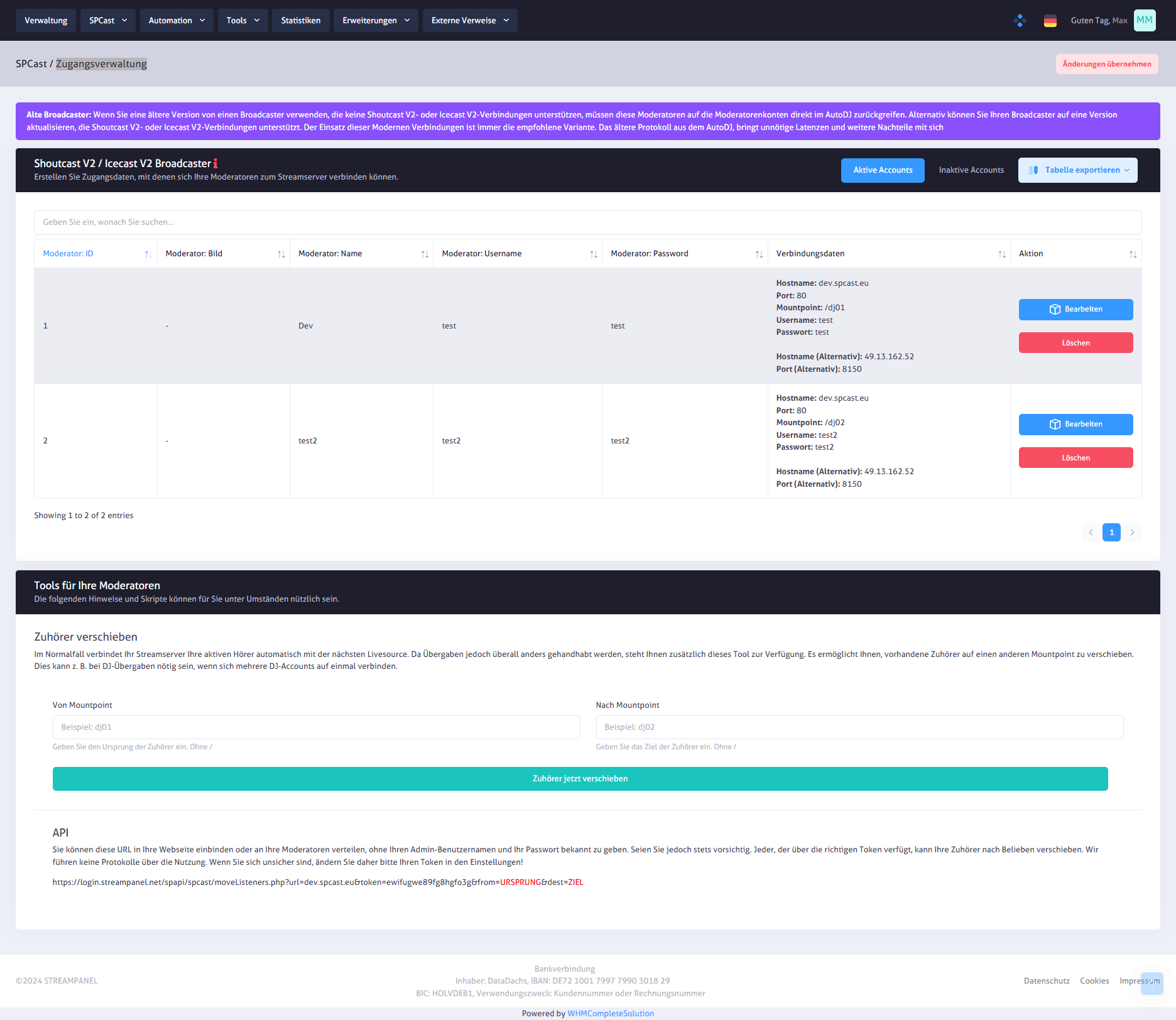
SPCast Moderators: Access Management
Create and manage individual accounts for your Shoutcast or Icecast broadcasters. Each moderator receives dedicated credentials with username and password, complemented by tools to move listeners between mount points or connect external applications via API.
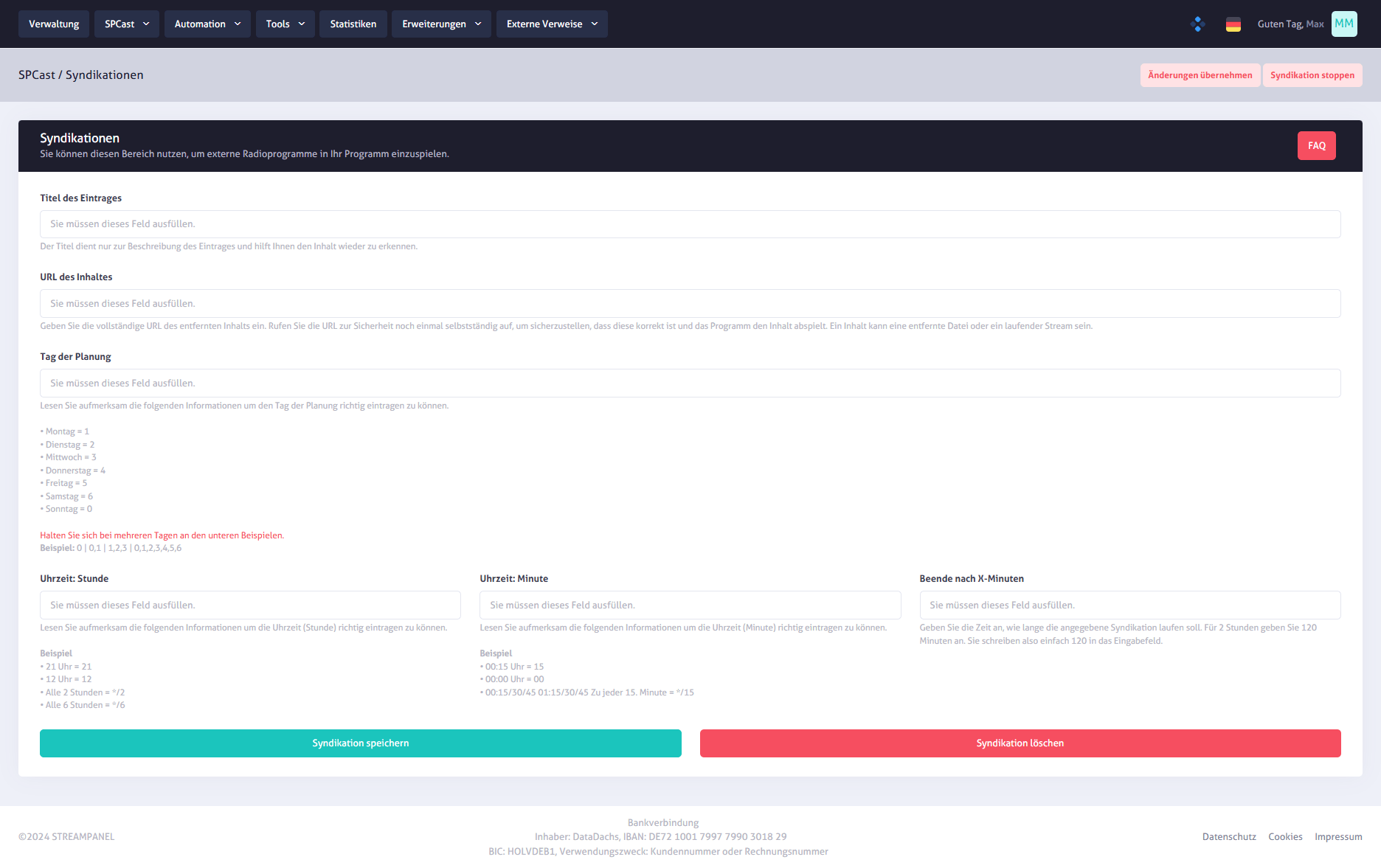
SPCast Automation: Syndications
Manage stream distribution across multiple mount points or partner platforms. Each syndication entry displays source and target mount points along with active/inactive status and setup guidance.
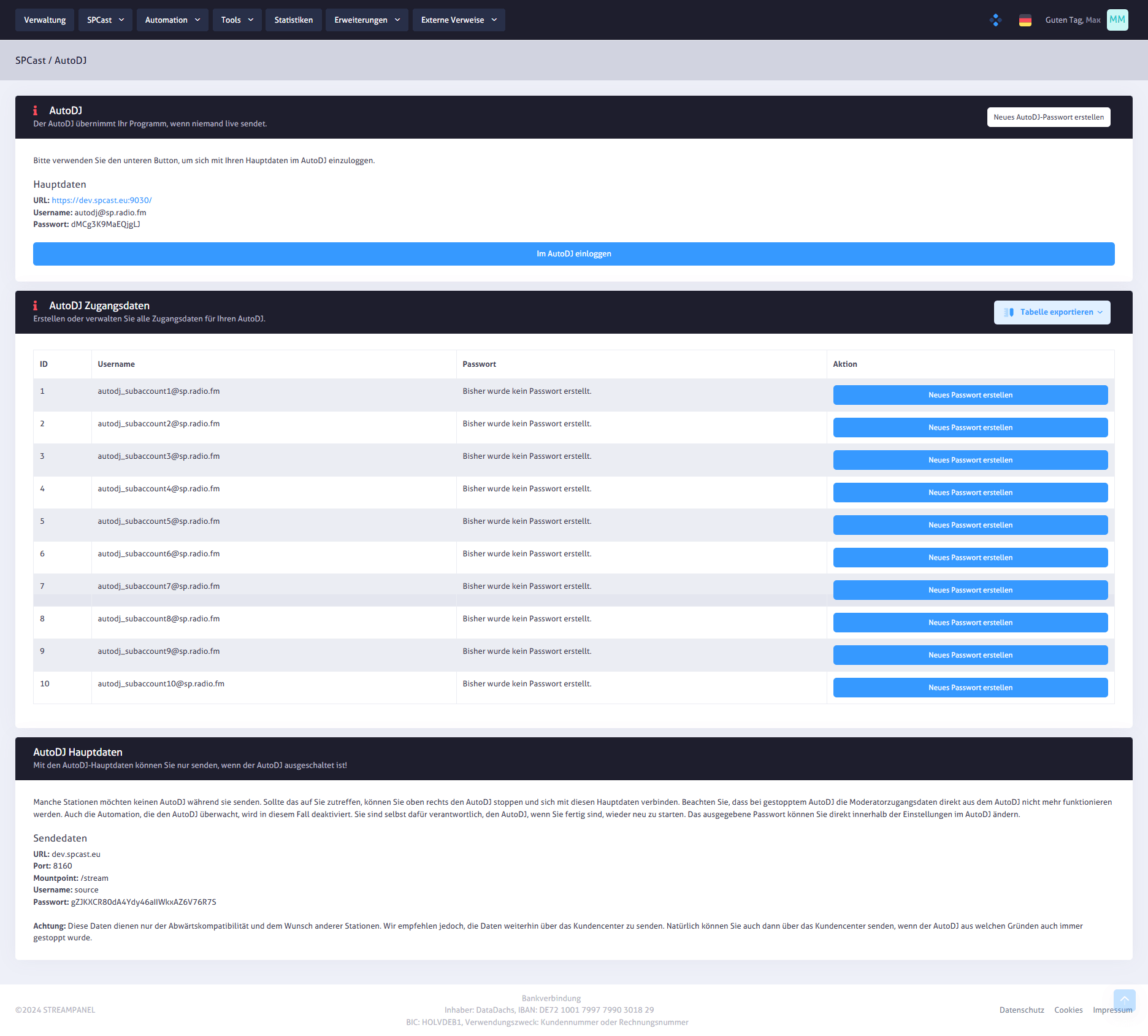
SPCast Automation: AutoDJ
Define whether your web radio runs automatically via playlists or manually. Configure audio formats, mount points, and automation parameters with built-in inline guidance.
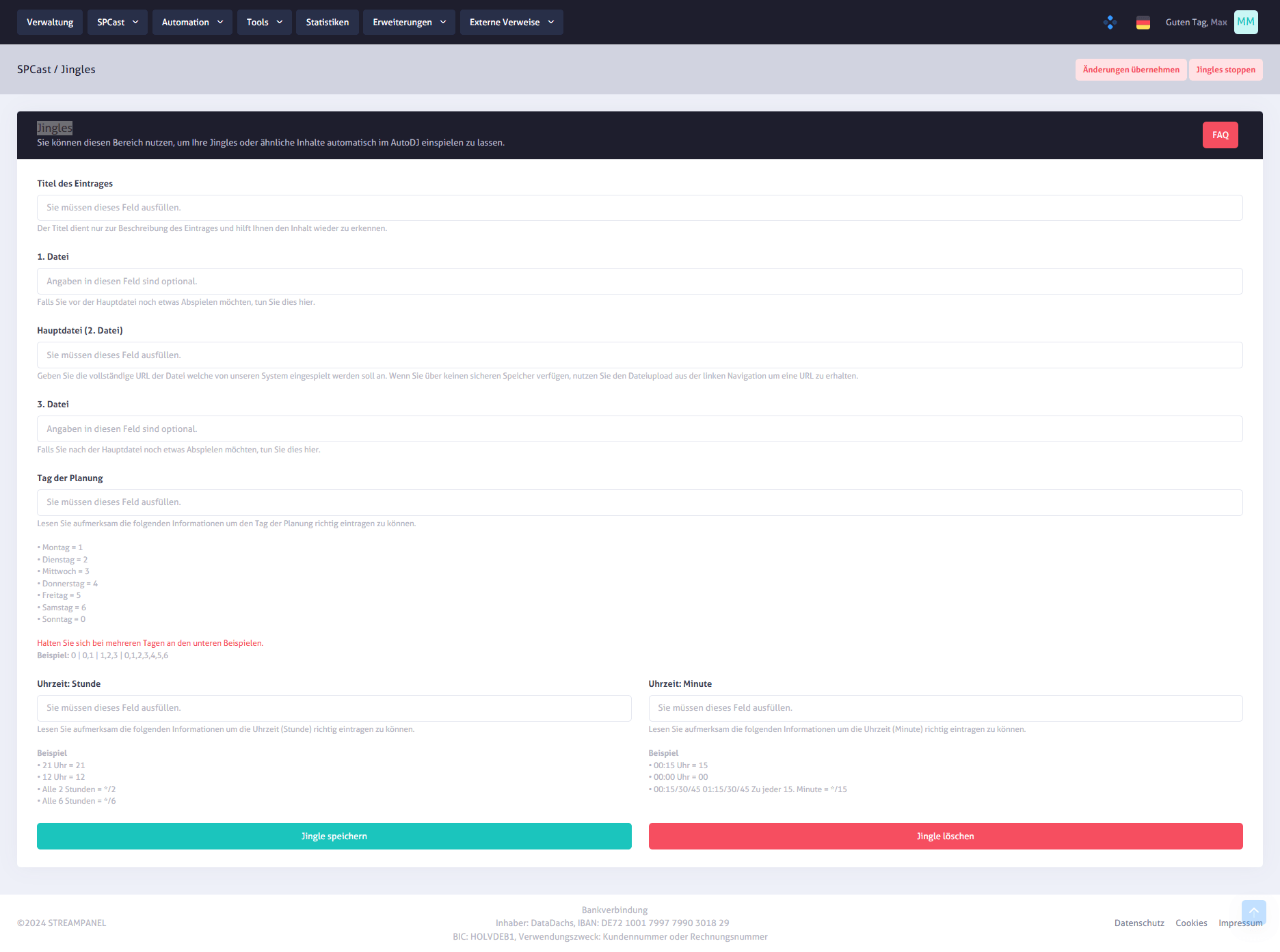
SPCast Automation: Jingles
Manage playback rules for station jingles with precision. Every entry shows the jingle name, audio source, and trigger condition so you can control exactly when and how station IDs play out.
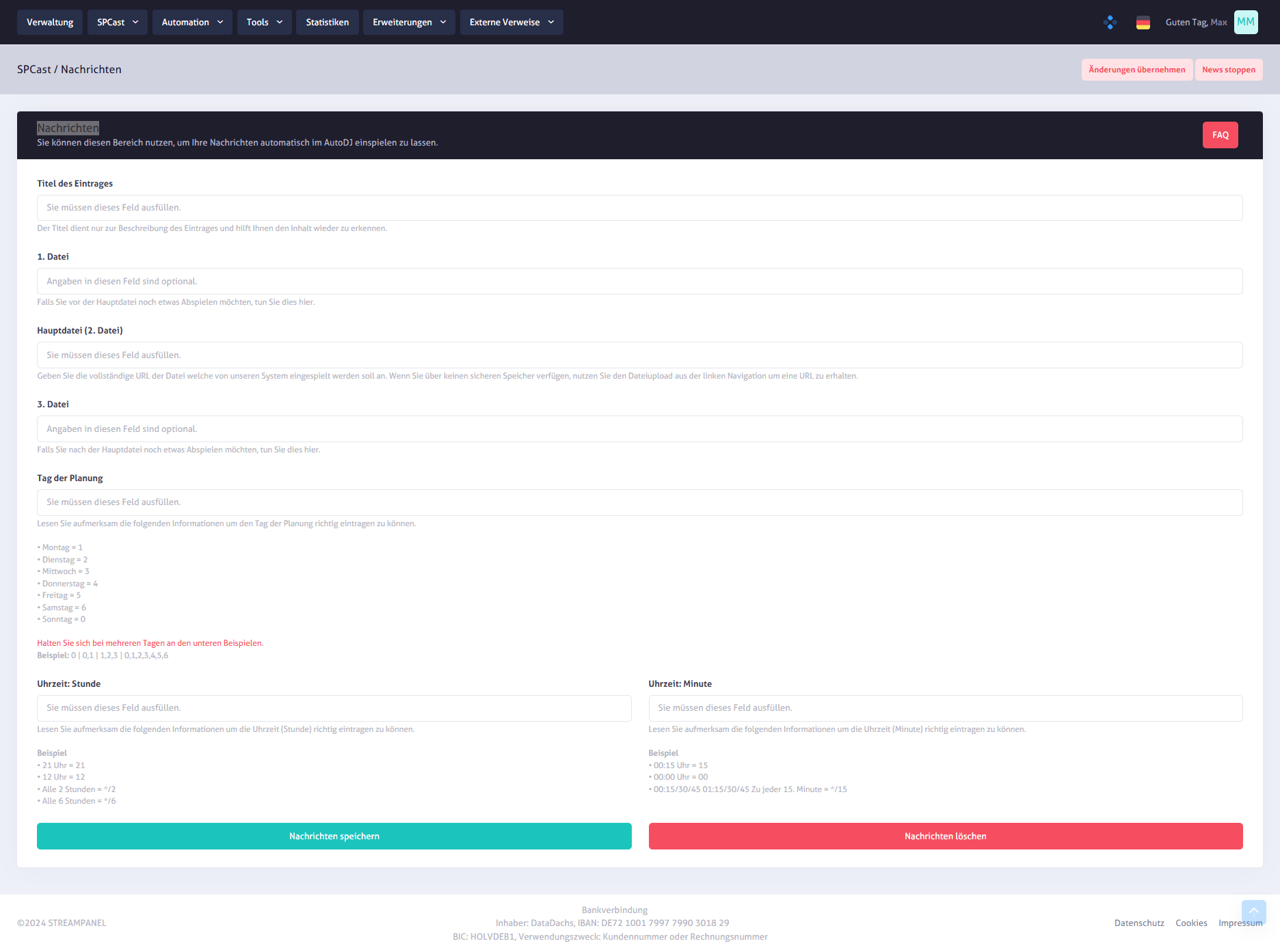
SPCast Automation: News Playout
Schedule automated news bulletins or announcements in your stream. Define titles, cron triggers, and target mount points for reliable, hands-free news automation.
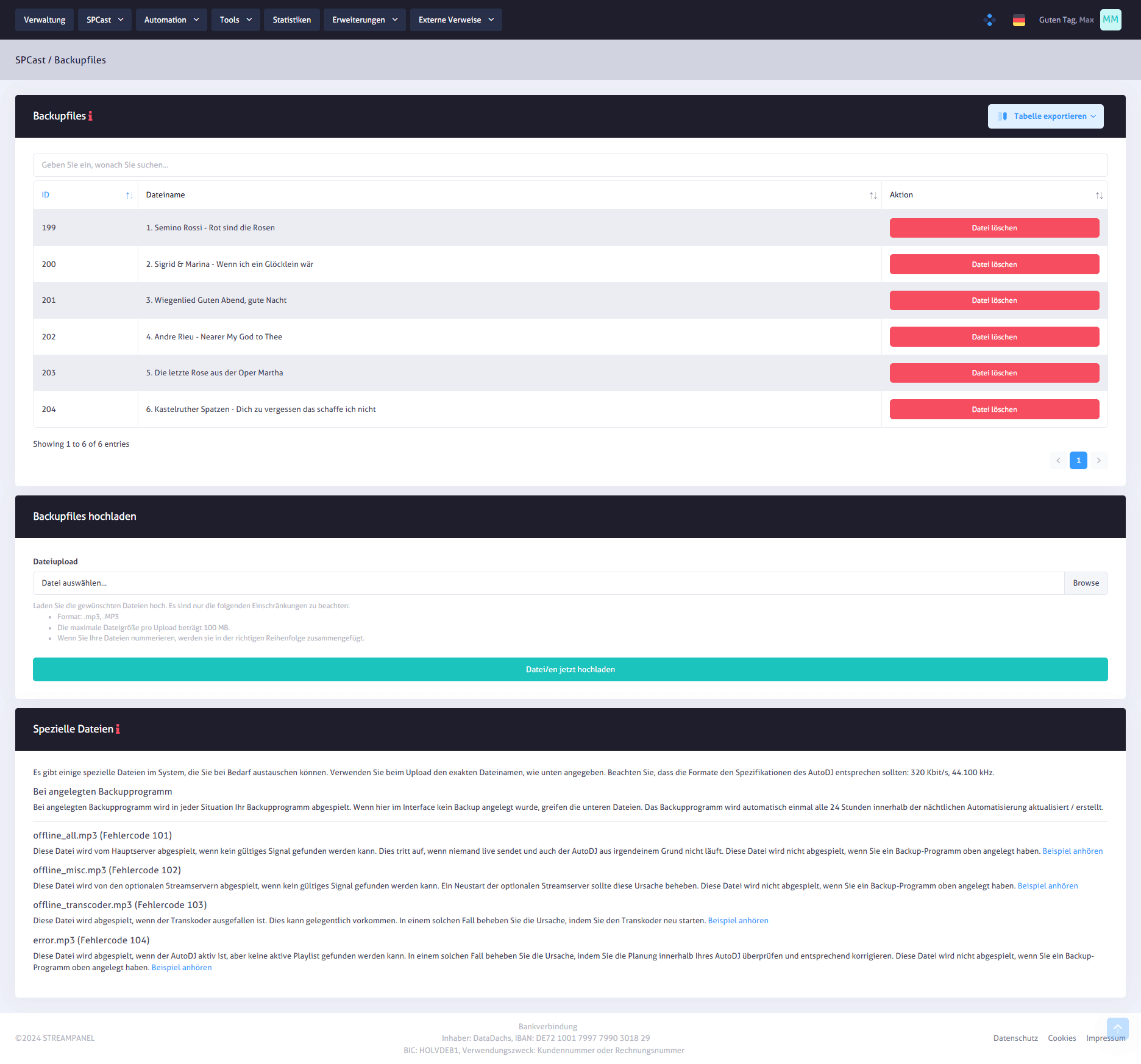
SPCast Extensions: Backup & Failover
Manage backup audio files for uninterrupted broadcasting. View existing fallback files, upload new emergency audio, and configure automatic offline or failover playback.
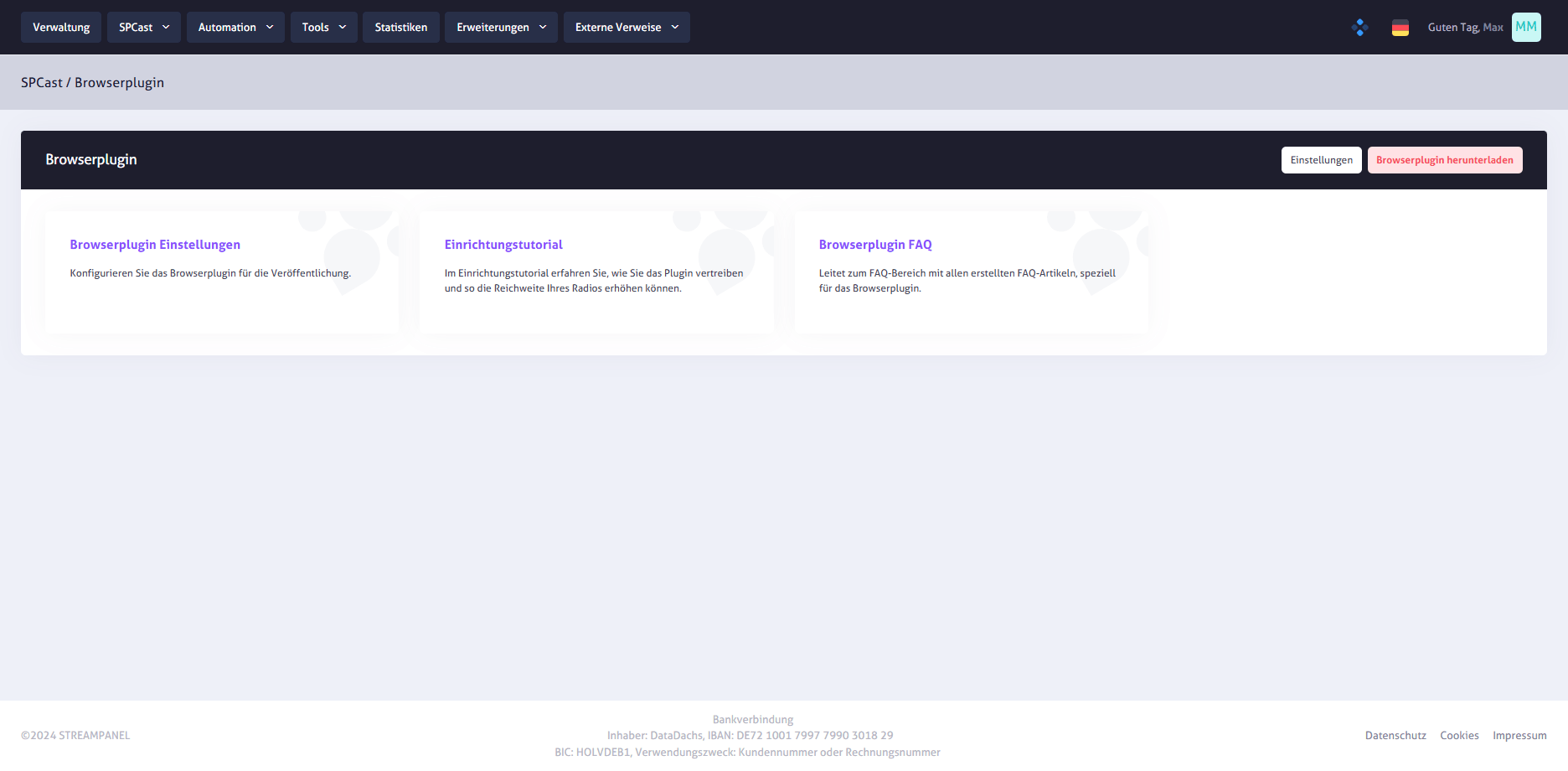
SPCast Extensions: Browser Plugin Dashboard
Manage all functions of your station browser extension centrally. Access publication settings, step-by-step setup tutorials, FAQs, and the direct plugin download link.
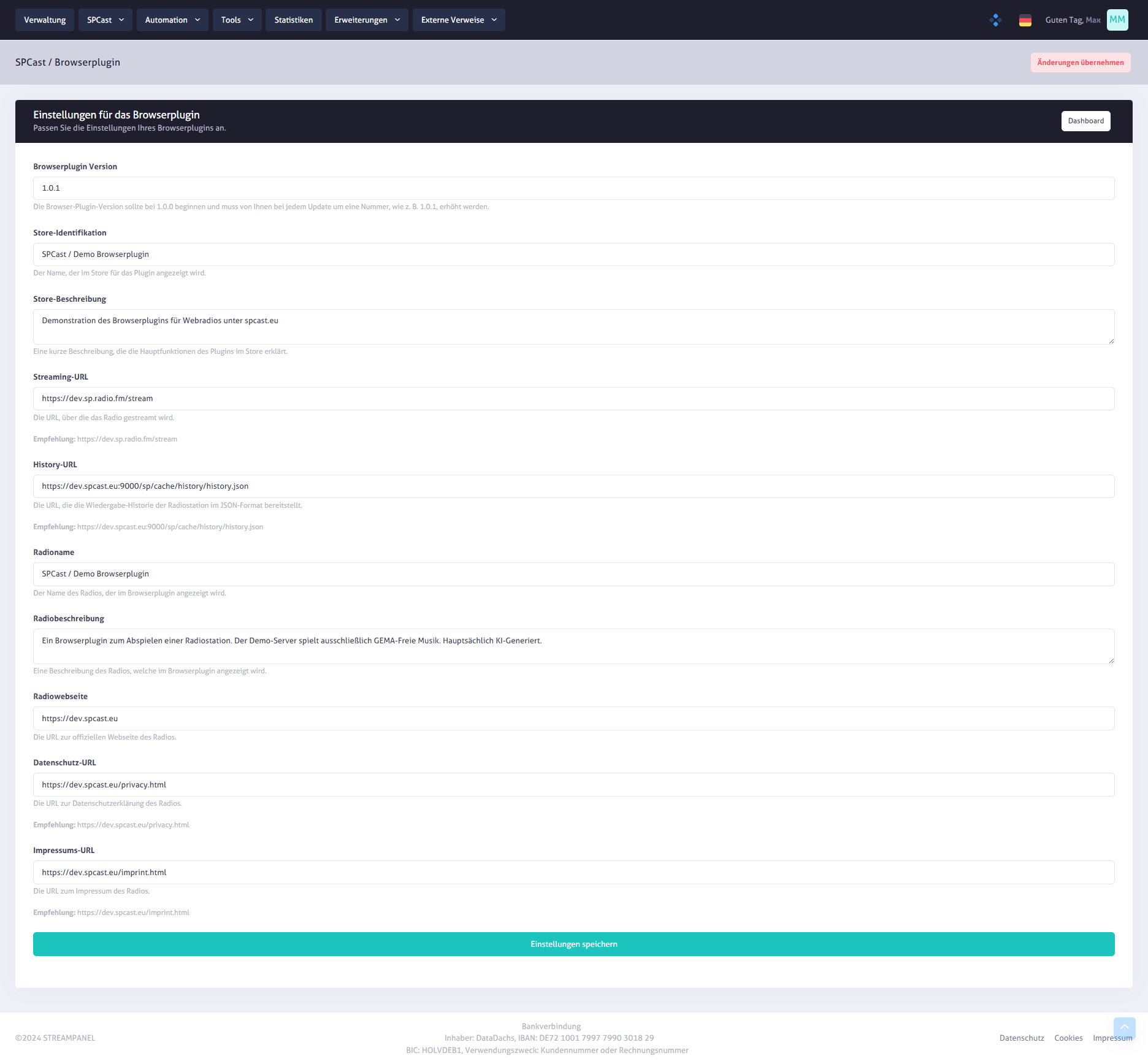
SPCast Extensions: Browser Plugin Settings
Maintain all required metadata for publishing your radio browser extension, including version number, store ID, description, stream and history URLs, station branding, and legal links.
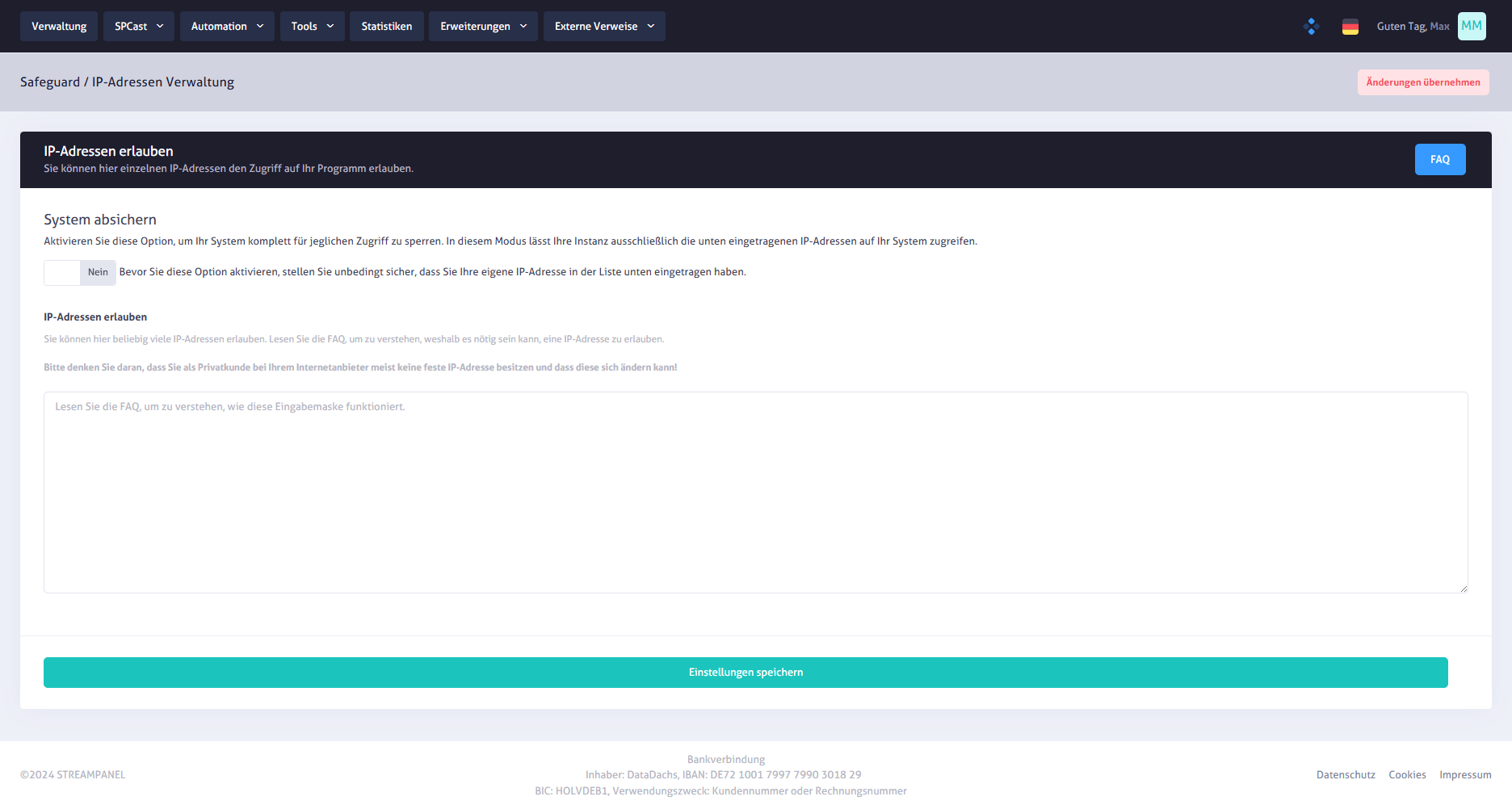
SPCast Extensions: Safeguard: Allow IP Addresses
Protect your streaming system by explicitly whitelisting trusted IPv4/IPv6 addresses or CIDR ranges and optionally enabling strict AllowOnly protection mode.
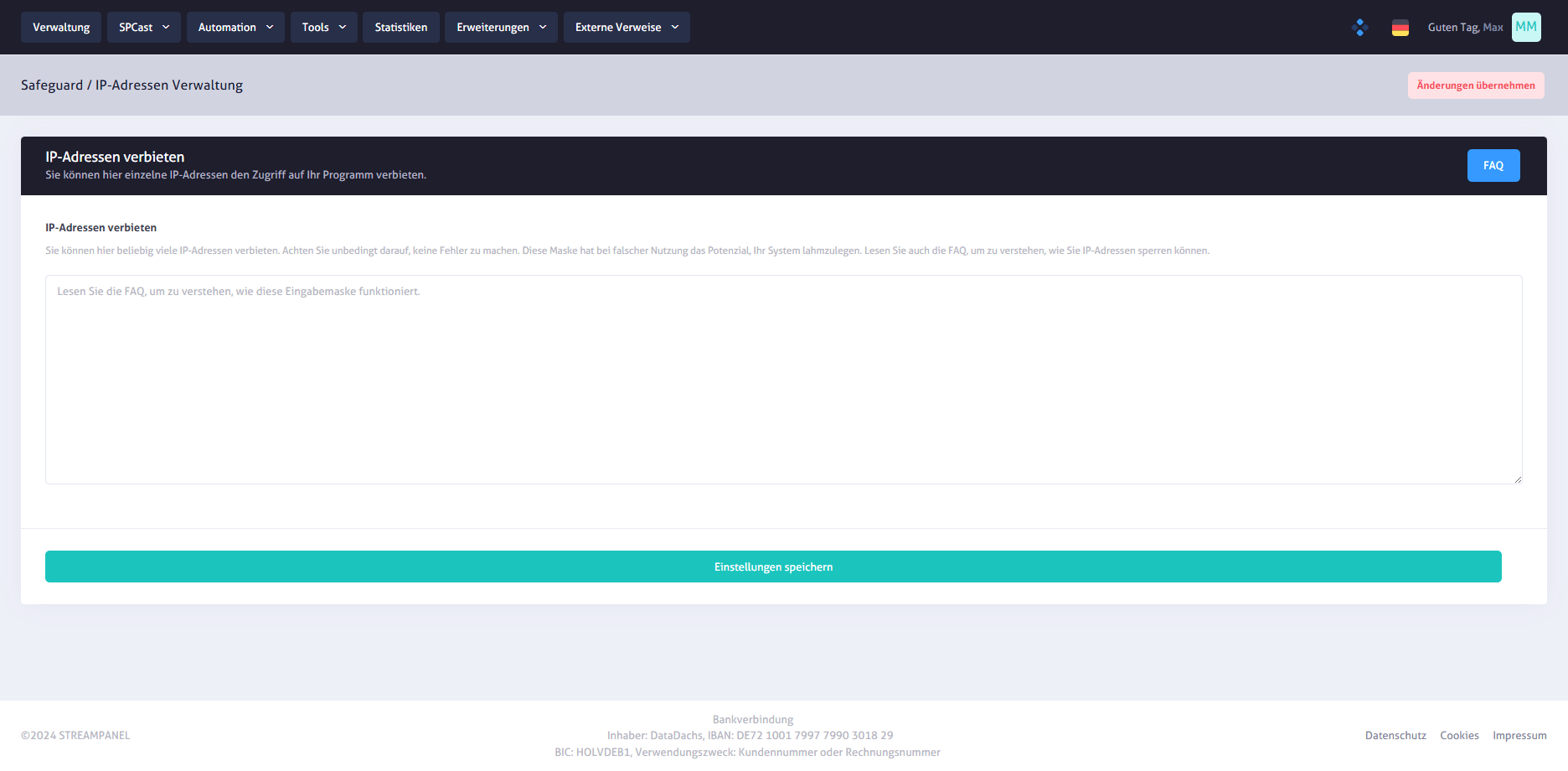
SPCast Extensions: Safeguard: Block IP Addresses
Block abusive IP addresses or network ranges from accessing your streaming server directly at the firewall level.
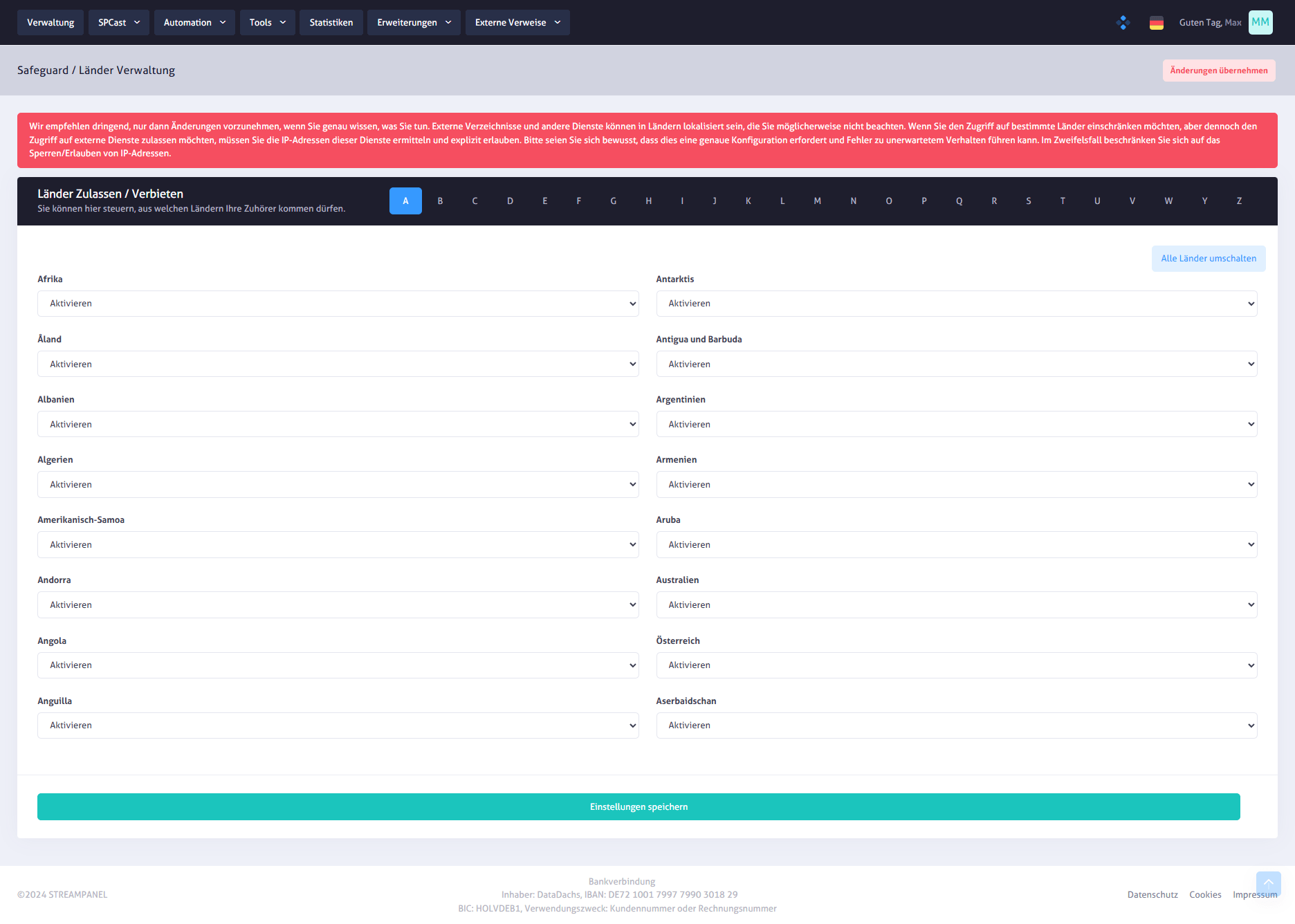
SPCast Extensions: Safeguard: Geoblocking (Allow/Block Countries)
Control geographic access to your web radio stream by enabling or blocking individual countries or toggling all regions simultaneously.
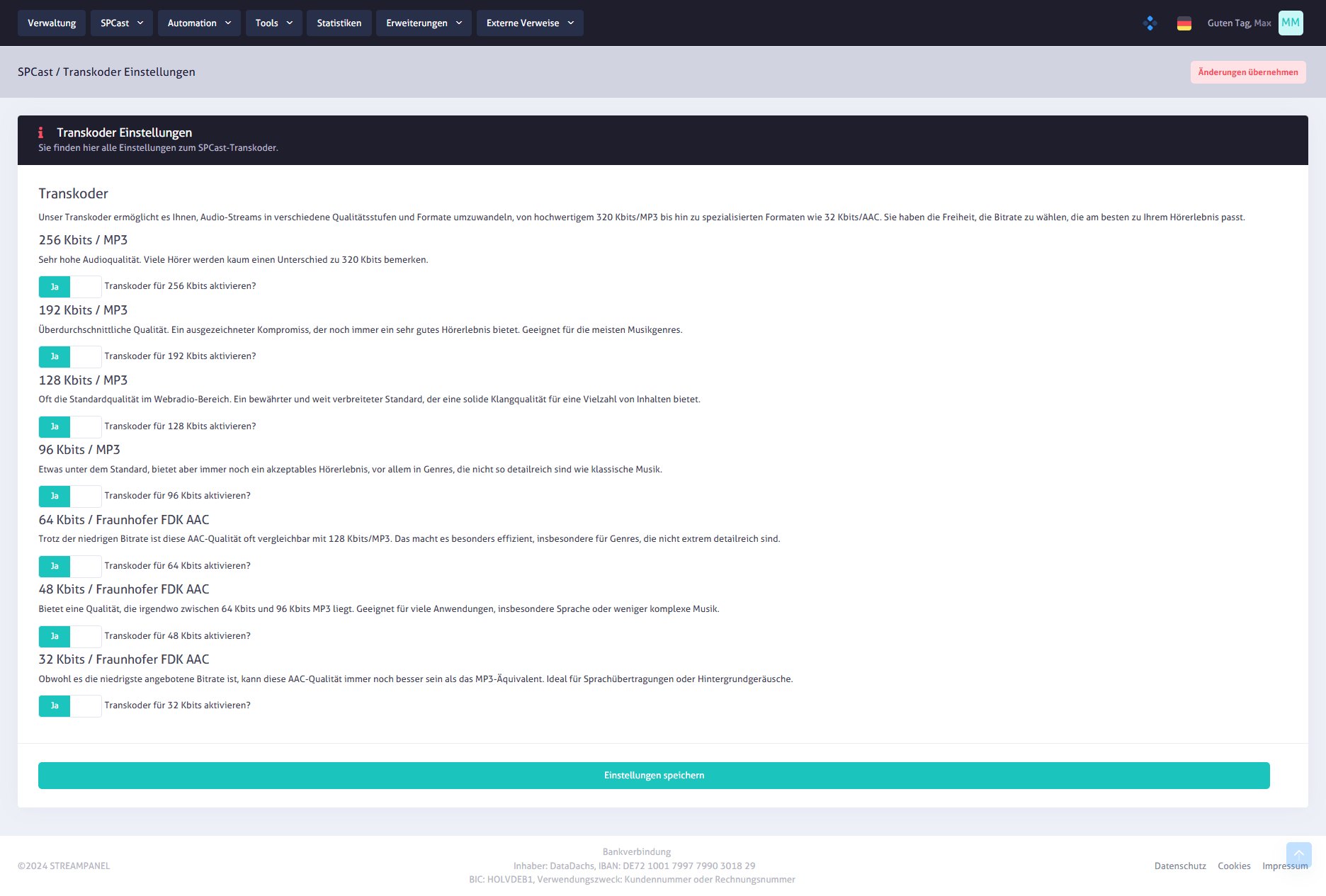
SPCast Extensions: Transcoder
Configure multi-bitrate transcoding profiles ranging from 256 kbps MP3 down to 32 kbps AAC+ to match listener bandwidth and audio fidelity requirements.
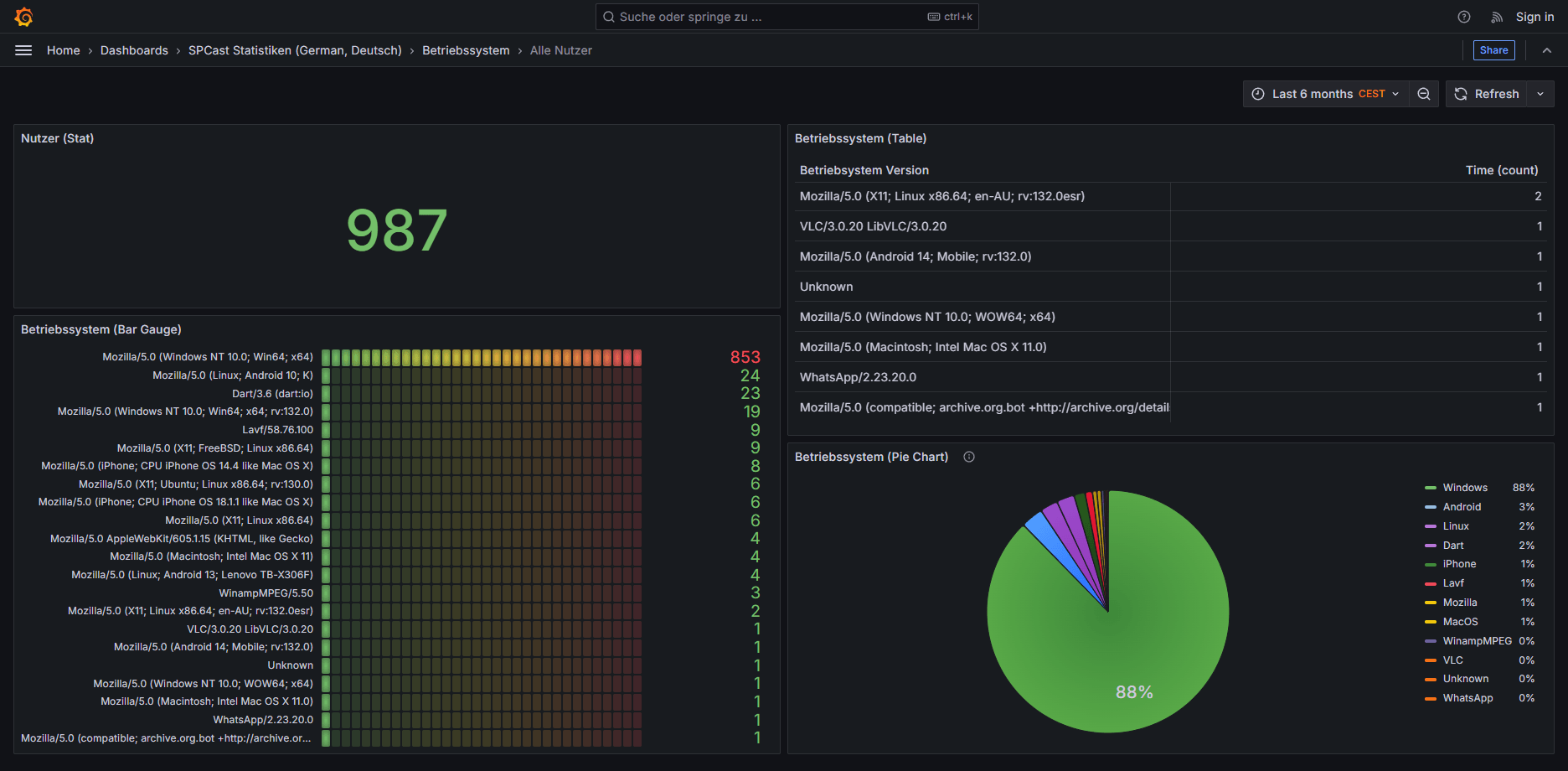
SPCast Statistics: Operating Systems (All Users)
Analyze all listener connections broken down by operating system to see the exact distribution across Windows, Android, iOS, macOS, Linux, and smart devices.
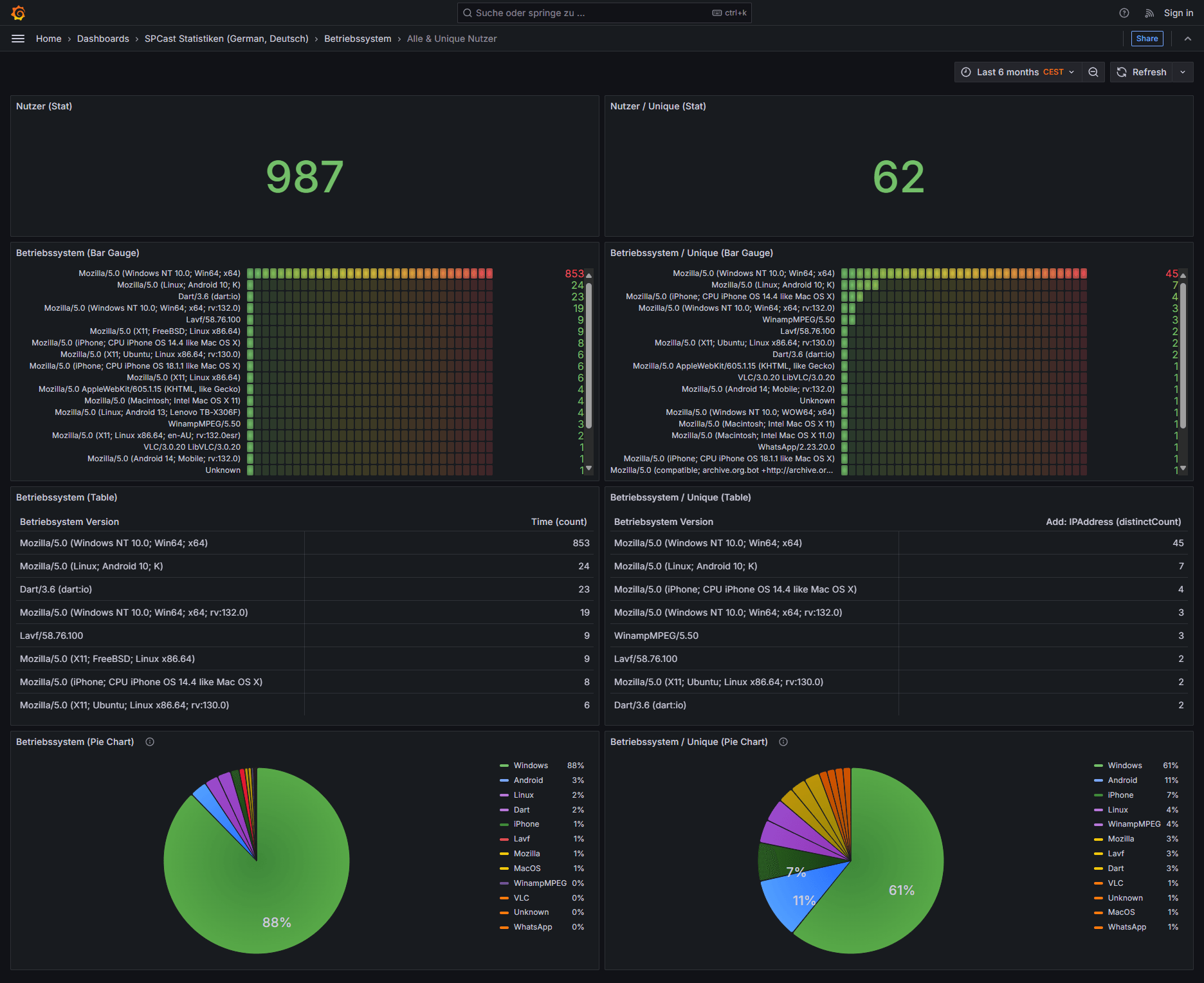
SPCast Statistics: Operating Systems (All & Unique Users)
Combined operating system statistics for total sessions and unique listeners give broadcasters a complete view of their audience’s technical platforms.
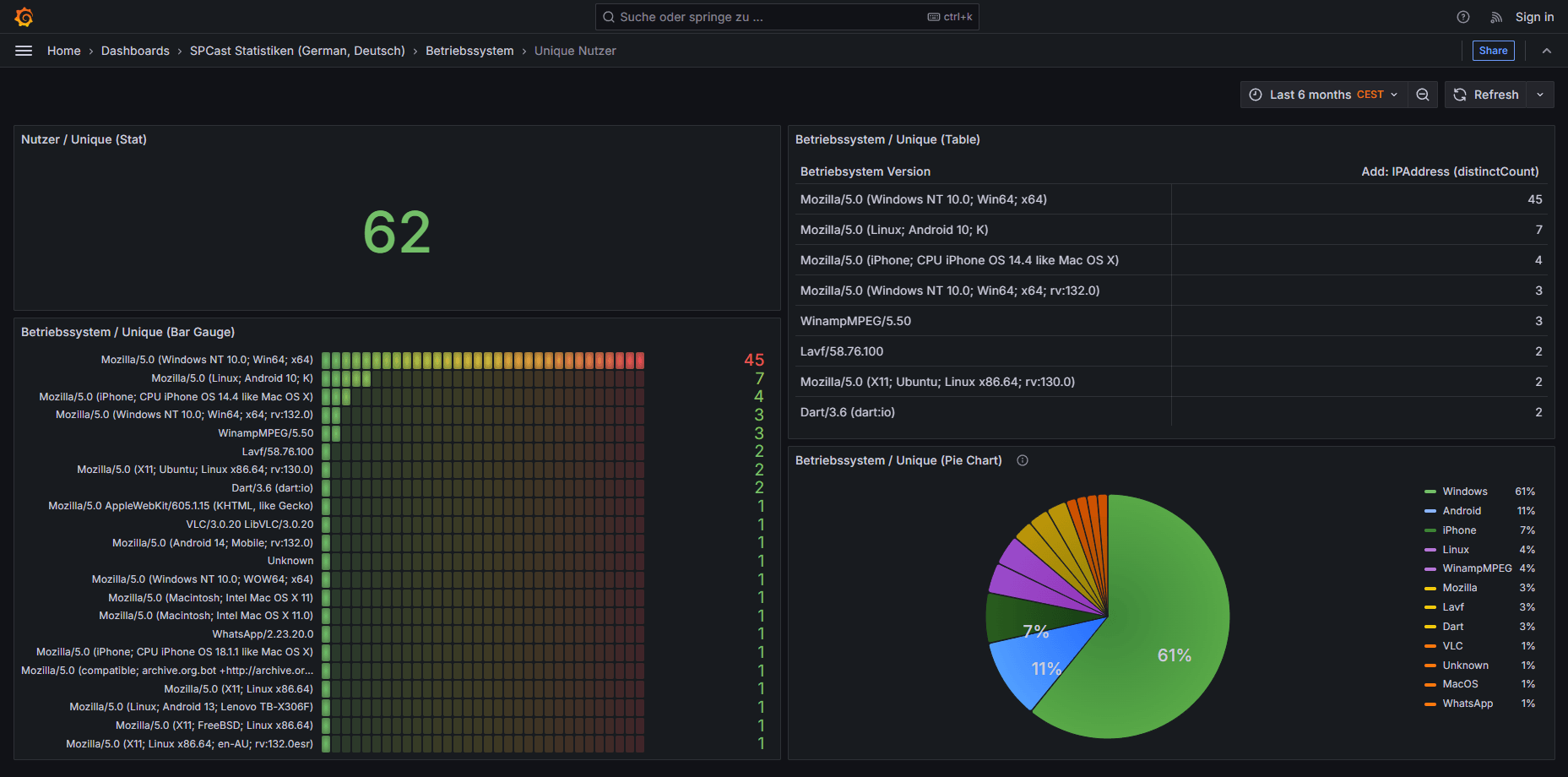
SPCast Statistics: Operating Systems (Unique Users)
Unique listener operating system analytics reveal exactly which client devices and OS platforms reach your radio streams.
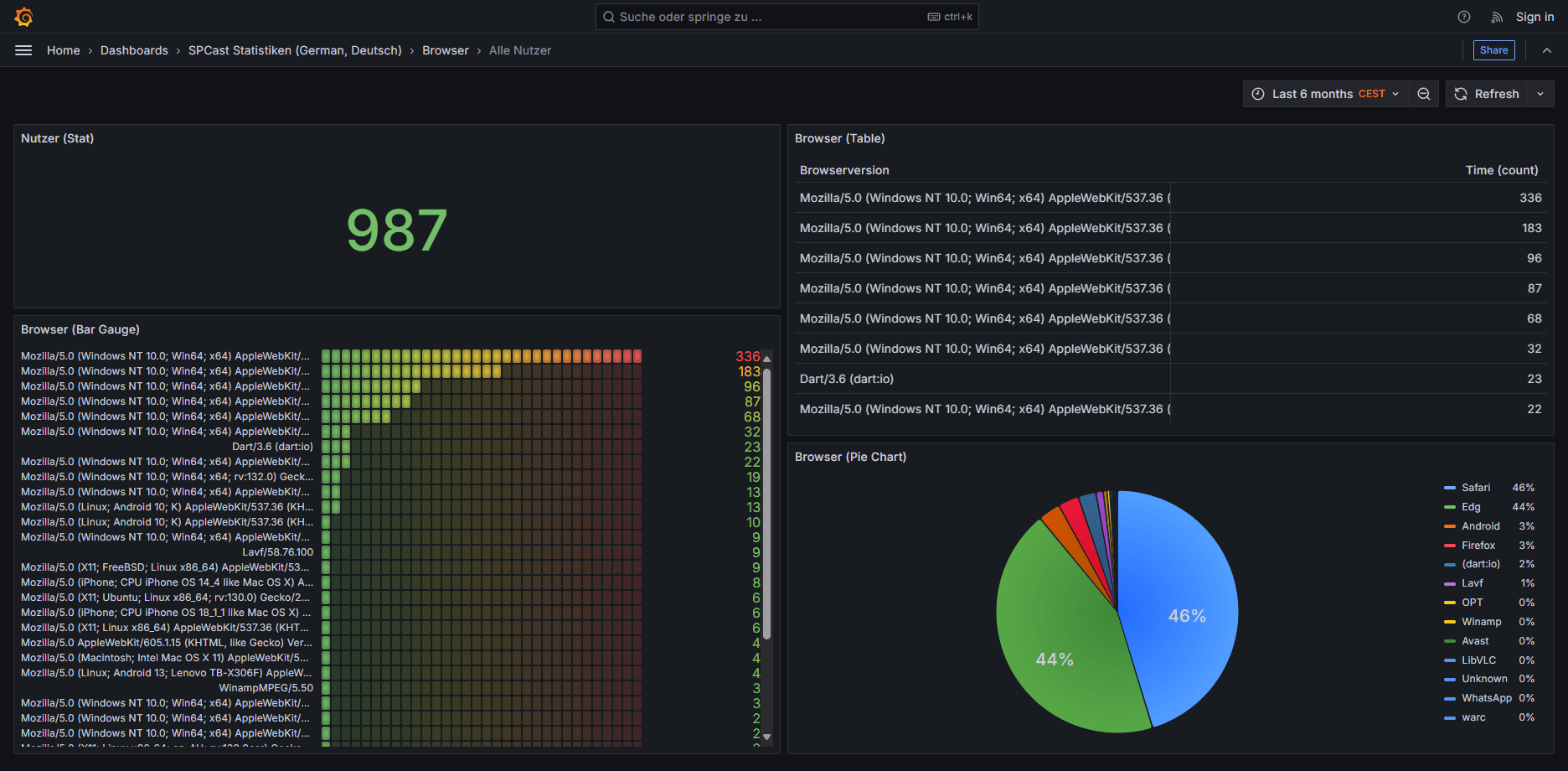
SPCast Statistics: Browsers (All Users)
View all listener sessions sorted by browser and client type to identify dominant web players and listening apps.
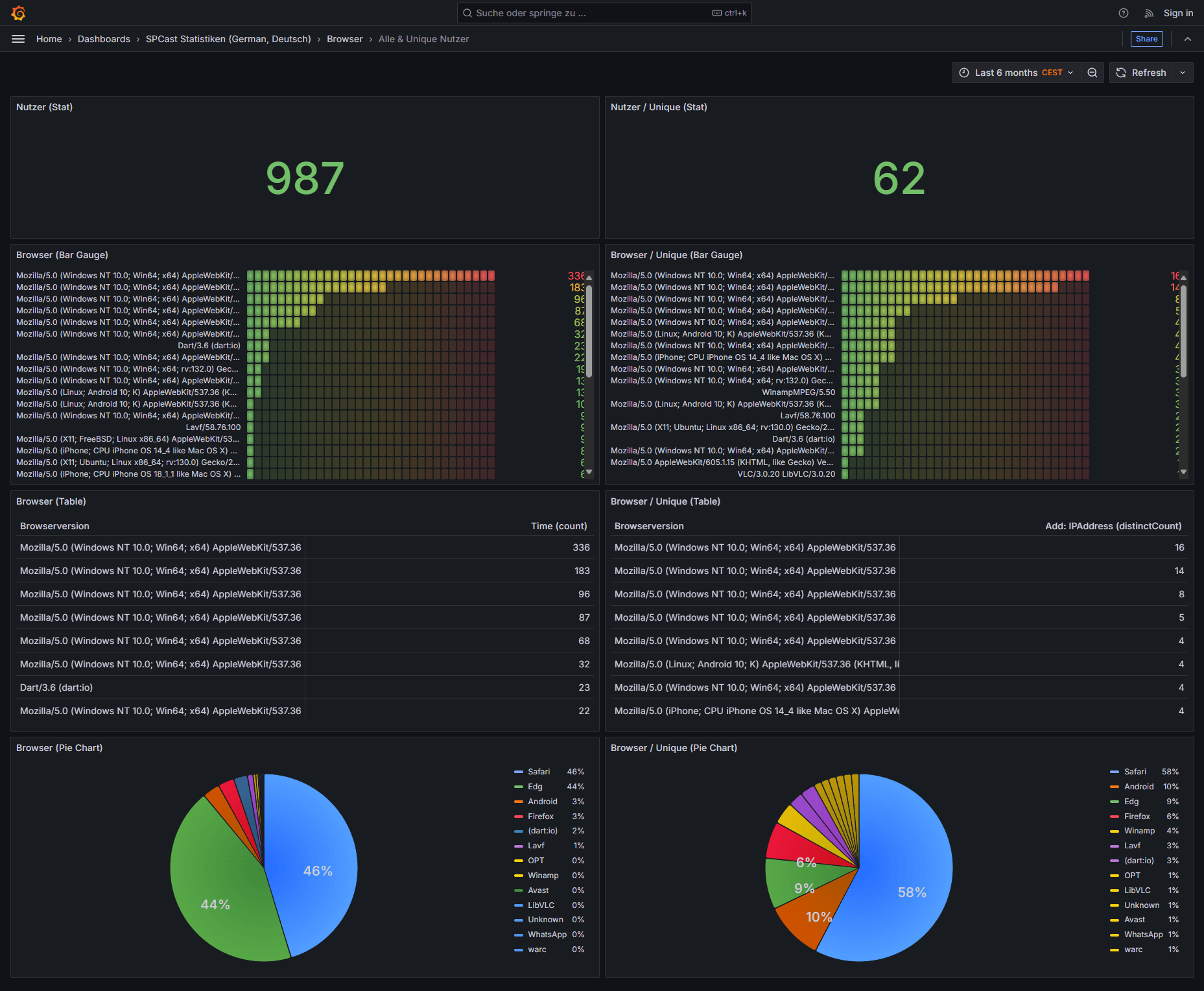
SPCast Statistics: Browsers (All & Unique Users)
Detailed tables, bar charts, and pie charts comparing total and unique listeners by browser help optimize web players and mobile offerings.
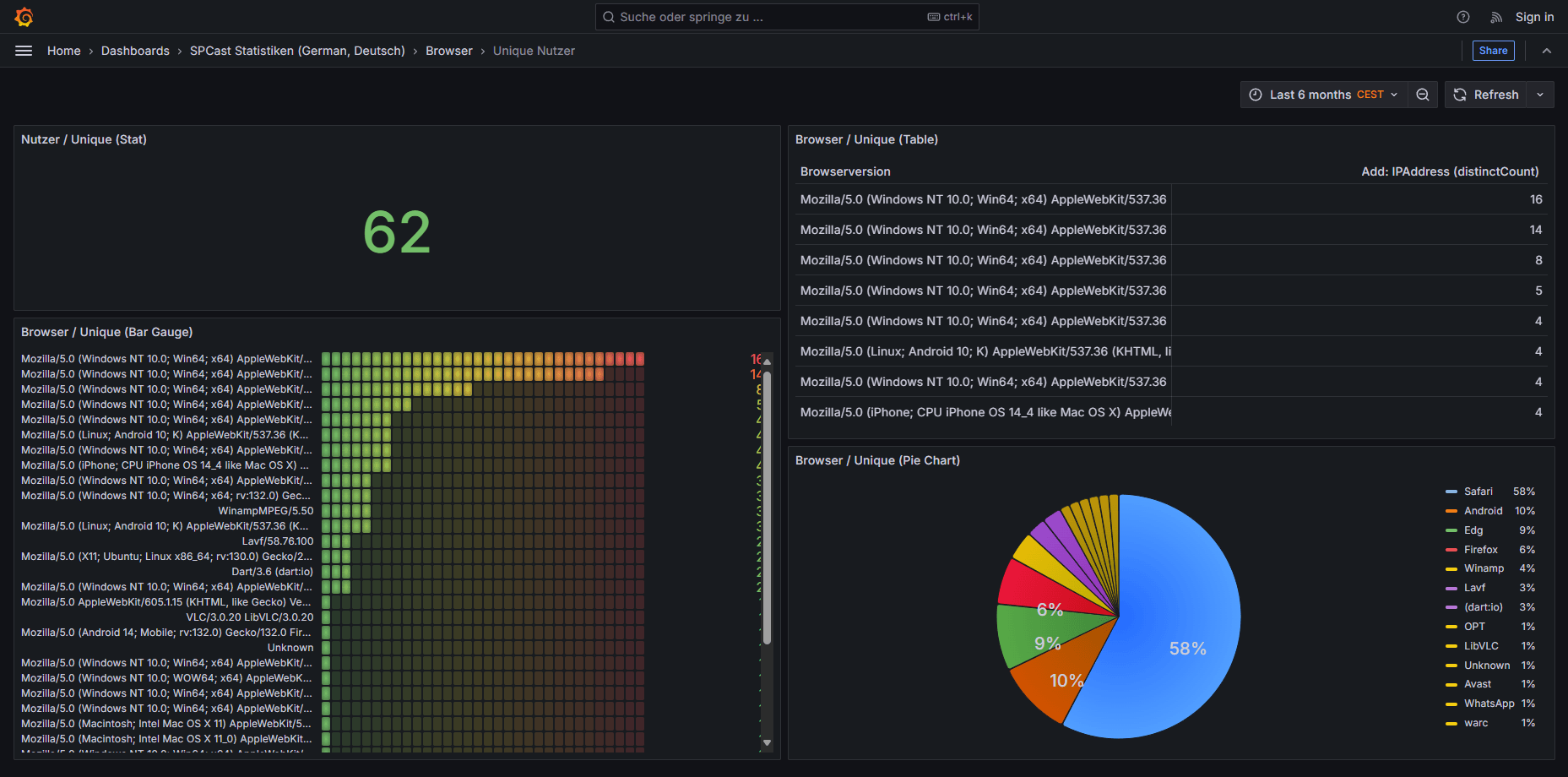
SPCast Statistics: Browsers (Unique Users)
Track unique listeners by browser family—from Safari and Chrome to Firefox and dedicated radio apps.
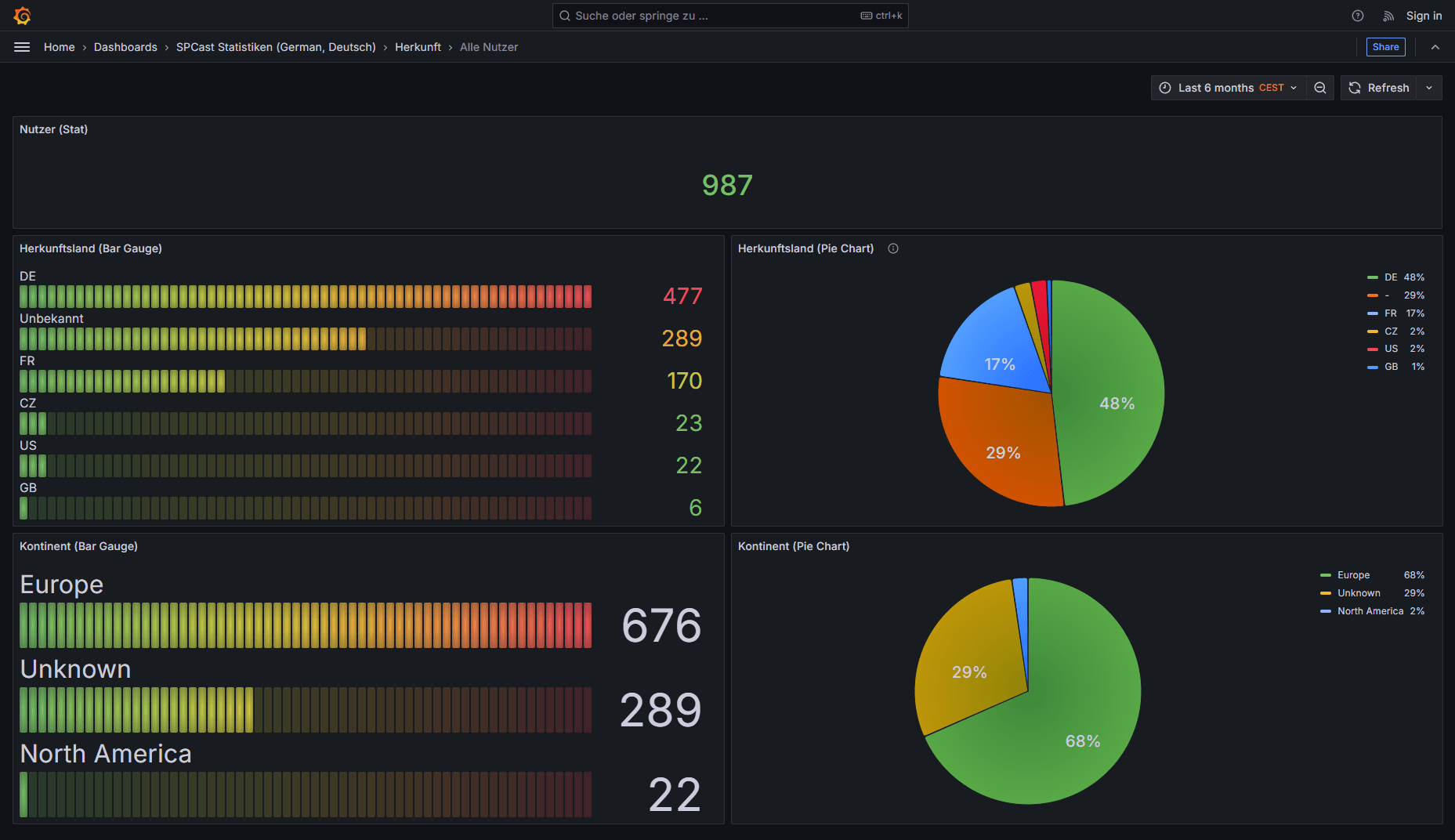
SPCast Statistics: Geographic Origin (All Users)
Country and continent breakdown for all listener sessions, highlighting regional strengths and international reach across Europe, North America, and beyond.
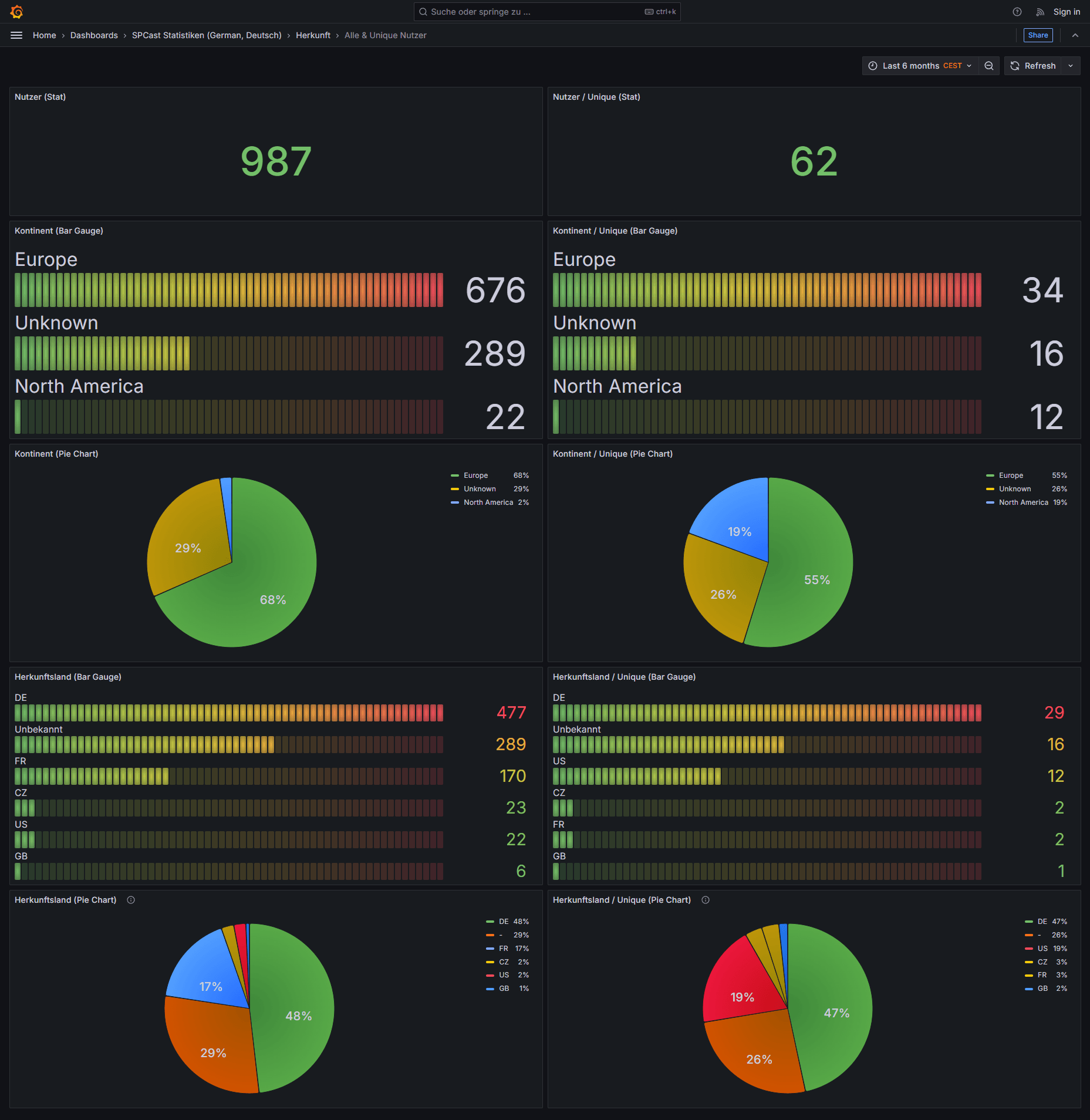
SPCast Statistics: Geographic Origin (All & Unique Users)
Side-by-side comparison of total sessions and unique listeners by country and continent for transparent audience geography insights.
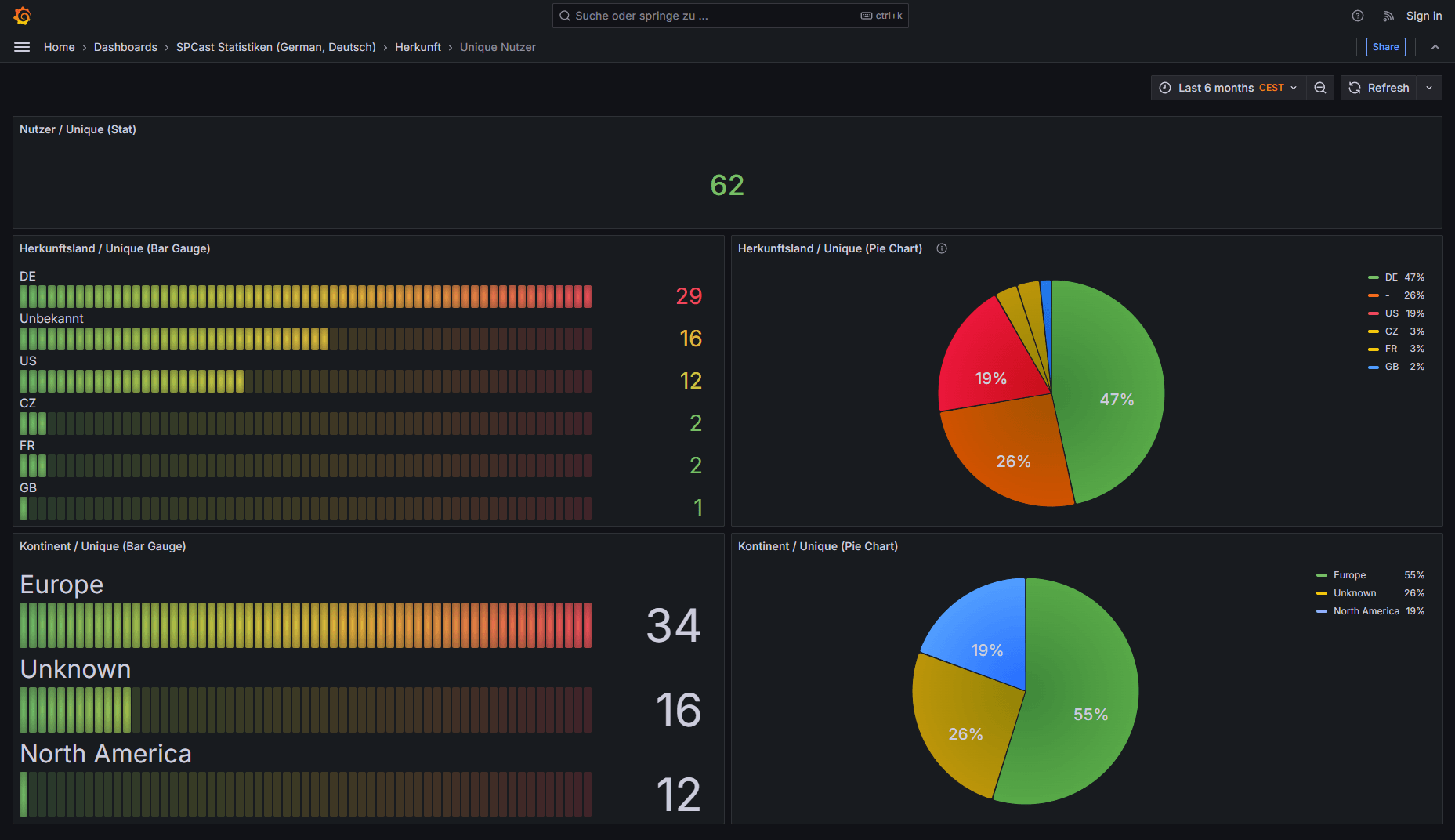
SPCast Statistics: Geographic Origin (Unique Users)
Unique listener distribution by country and continent shows the true international footprint of your radio broadcast.
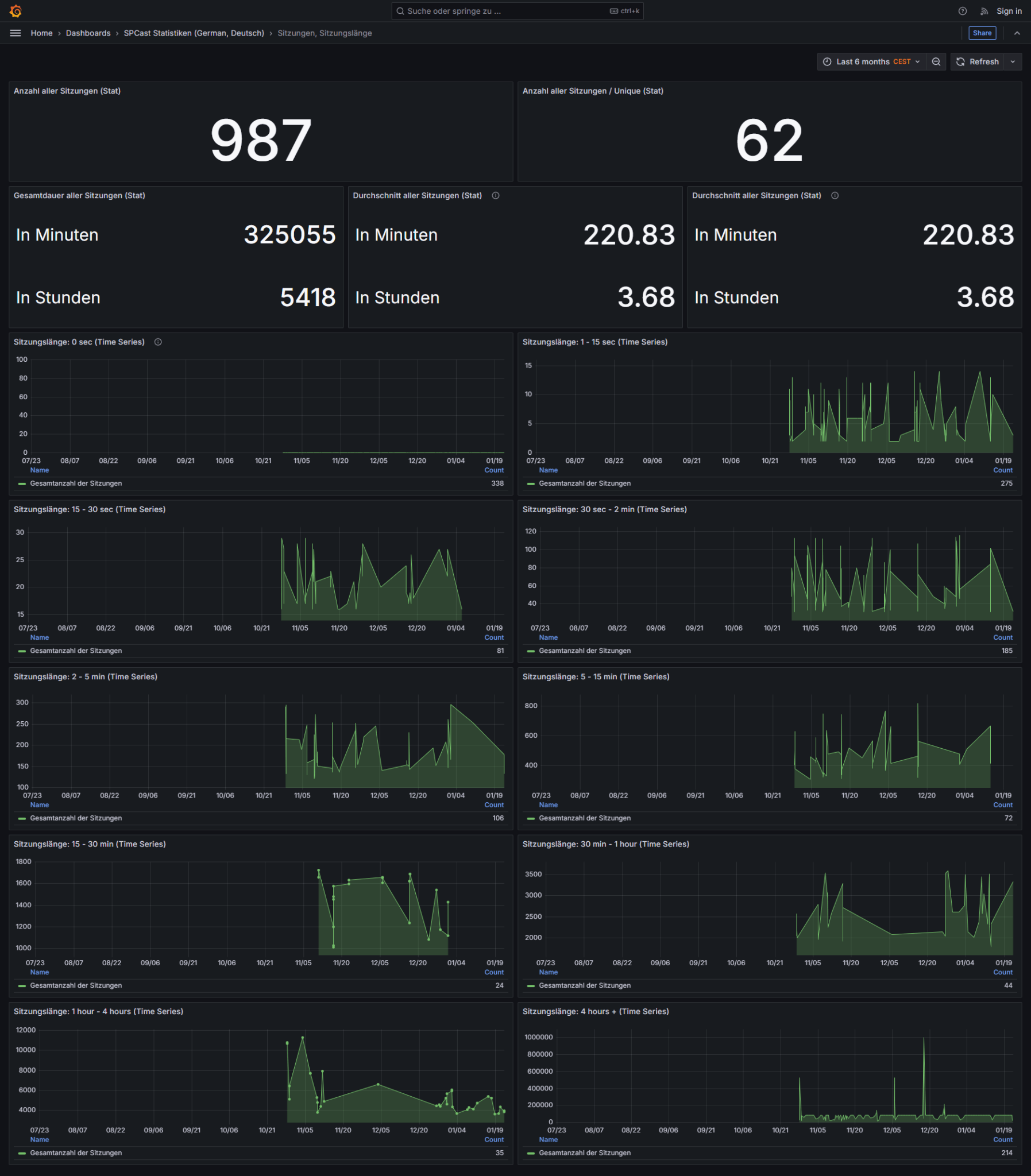
SPCast Statistics: Session Duration
Session length analytics show average listening time, total hours streamed, and duration breakdowns ranging from 10 seconds to over 4 hours.
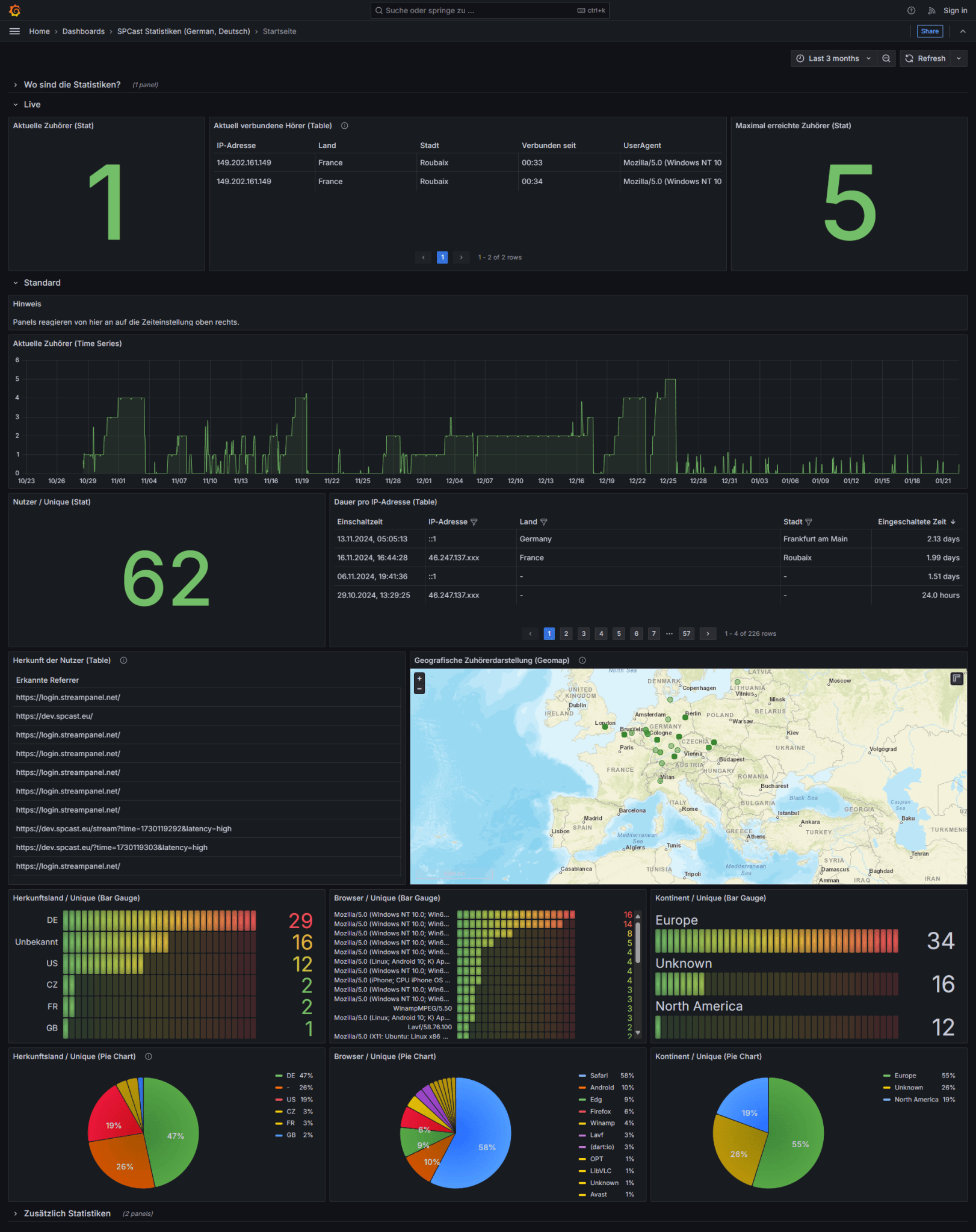
SPCast Statistics: Overview Home
The statistics home screen delivers a compact summary of live and historical metrics, including active listeners, countries, browser shares, and continent maps.
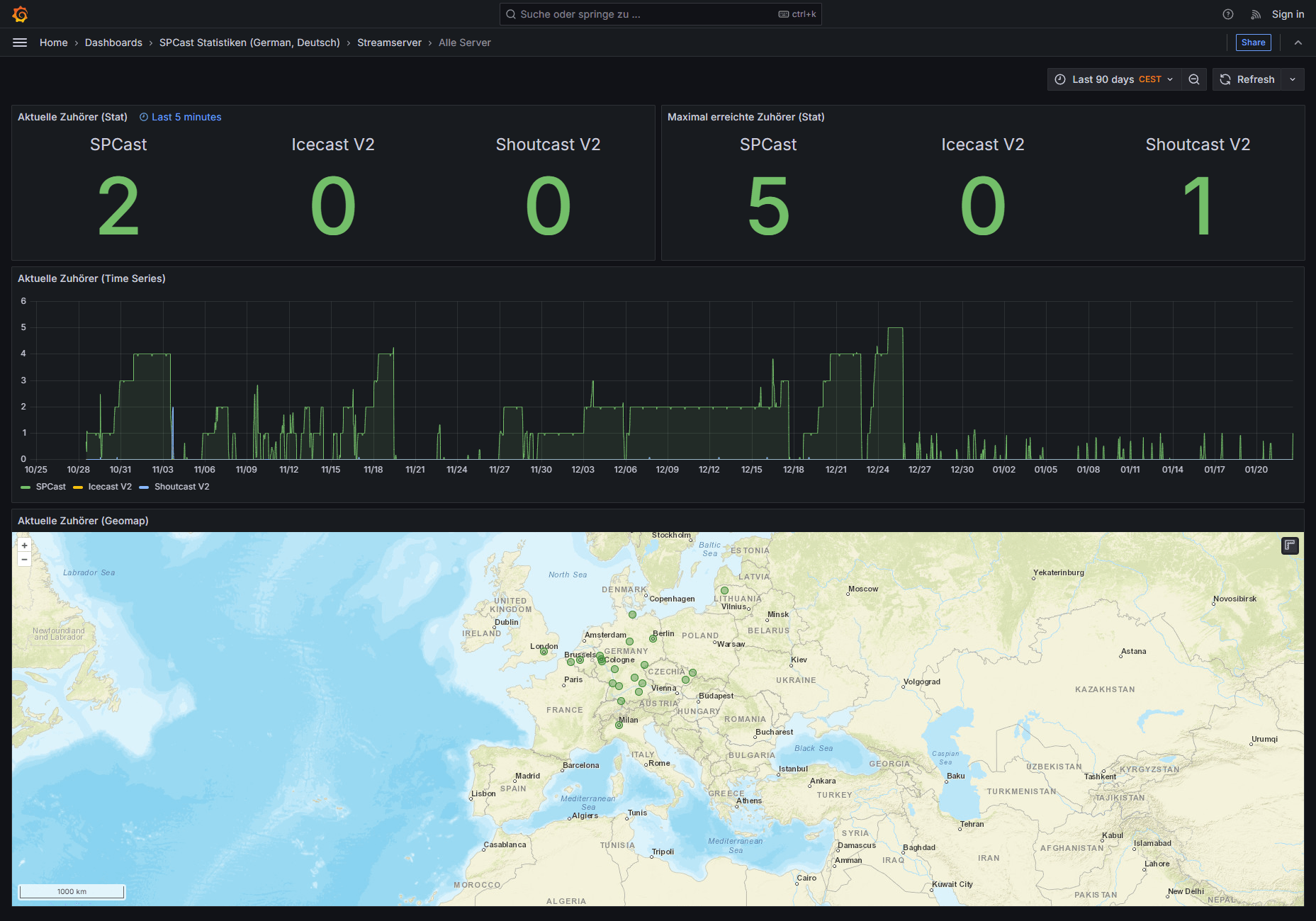
SPCast Statistics: Stream Servers (All Servers)
Cross-server overview showing current and peak listener counts across SPCast, Icecast V2, and Shoutcast V2 with historical charts and geographic mapping.
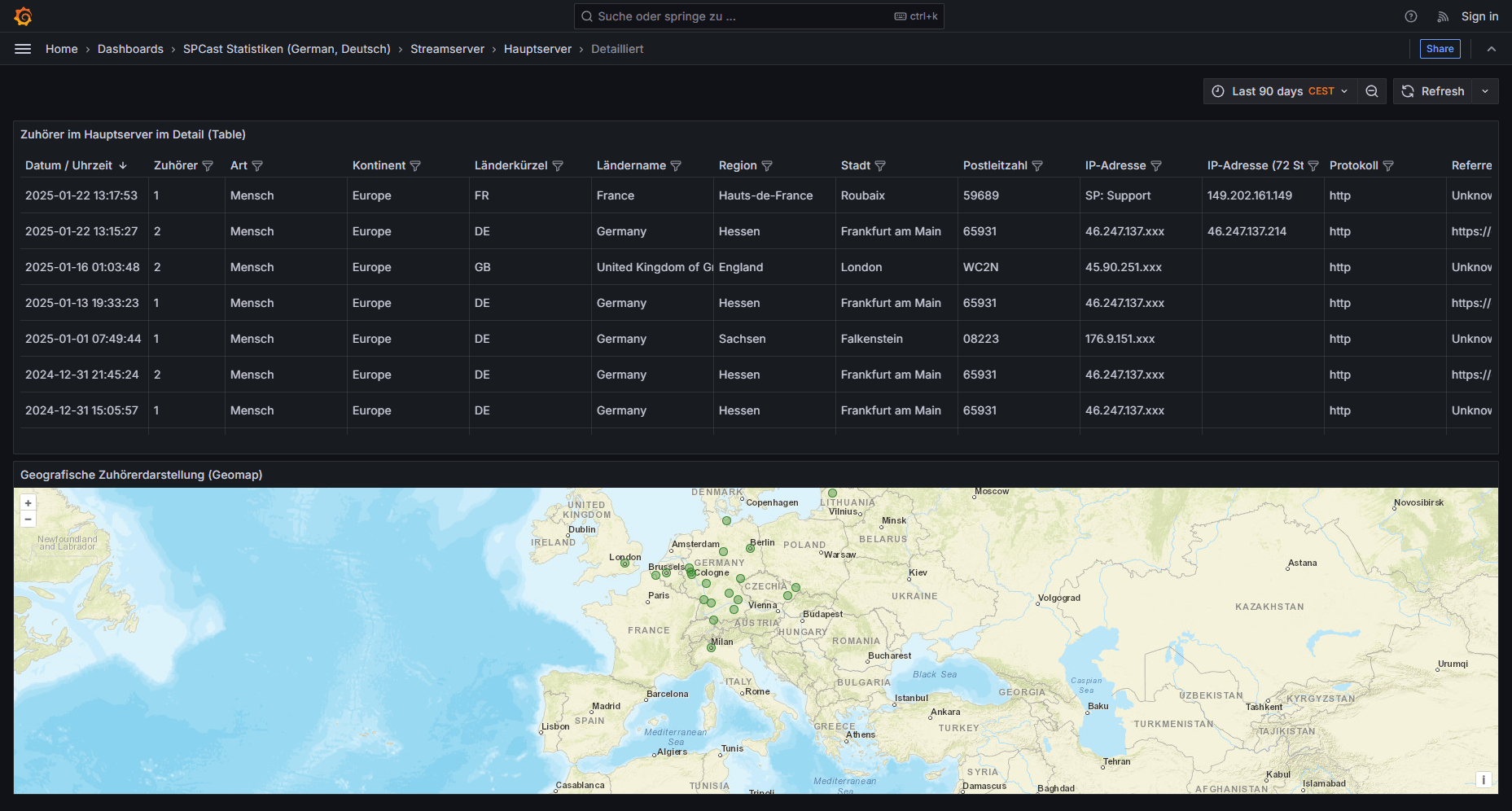
SPCast Statistics: Stream Server (Detailed View)
Detailed listener breakdown on the primary SPCast server showing connection timestamps, country, city, region, protocol, and interactive map distribution.
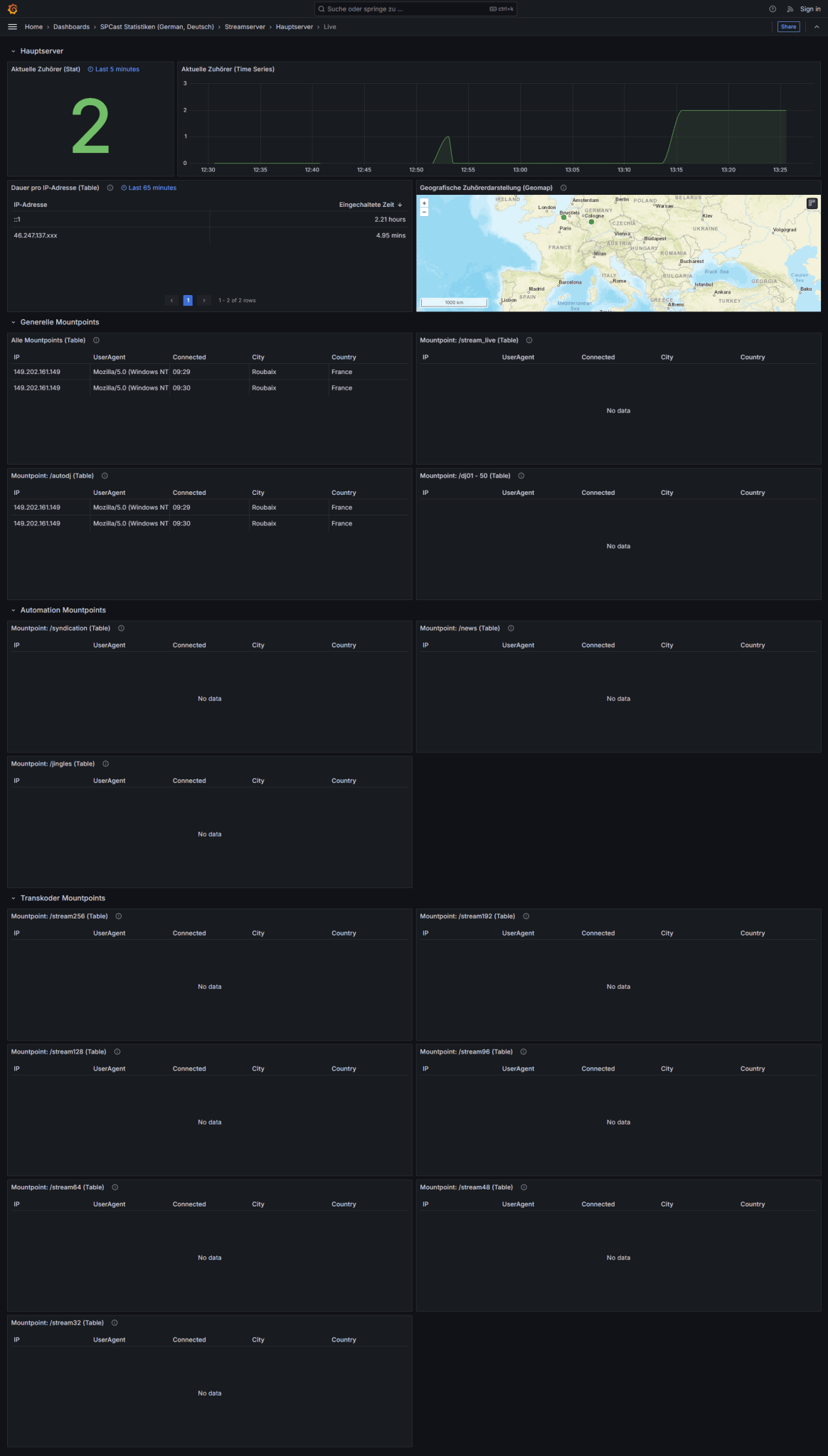
SPCast Statistics: Stream Server (Live Real-Time)
Real-time monitoring of active listeners currently connected to your SPCast stream server, including session duration and live geographic map.
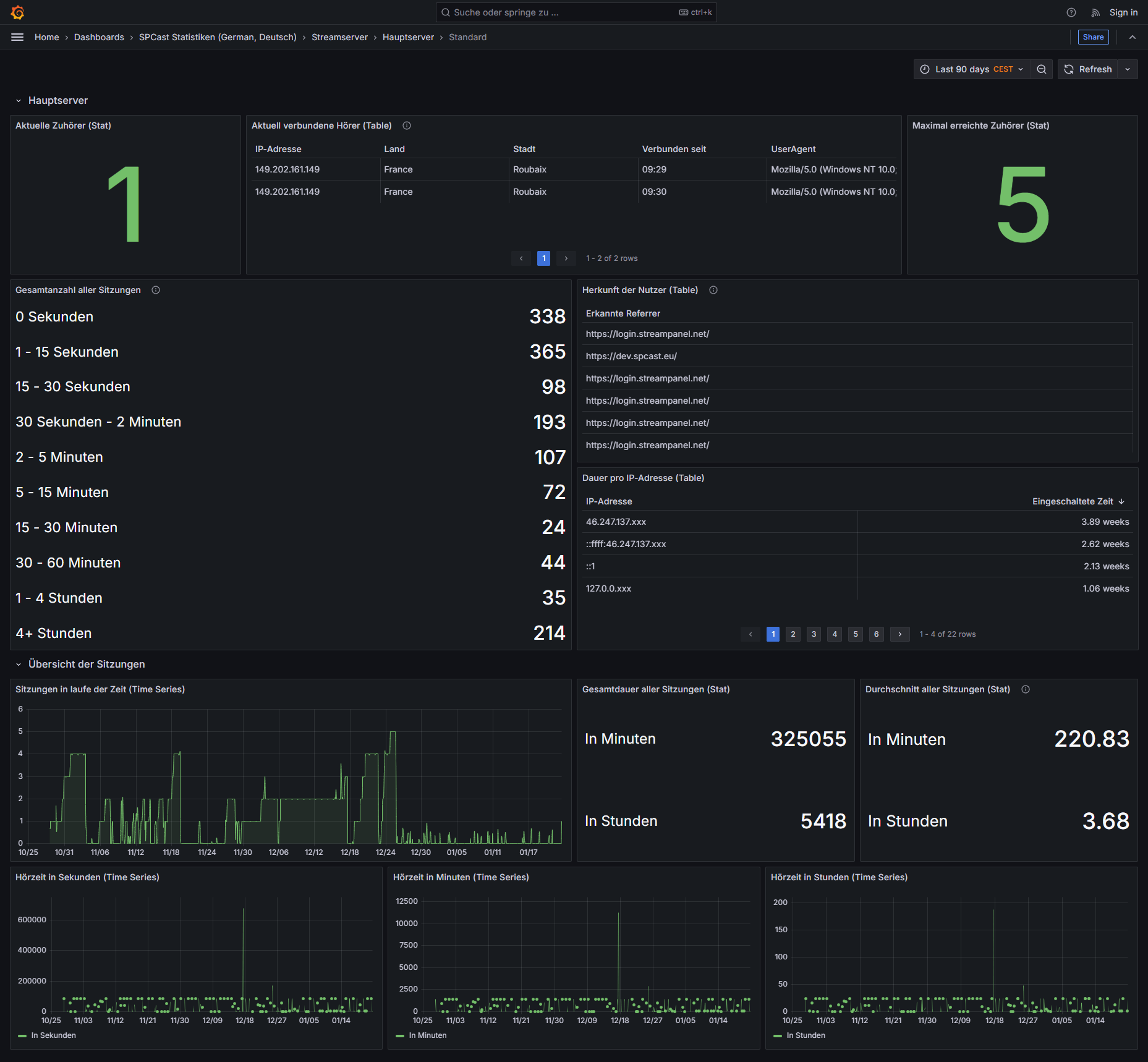
SPCast Statistics: Stream Server (Standard View)
Standard stream server metrics covering current listeners, peak connections, session durations, referrers, and listening hours.
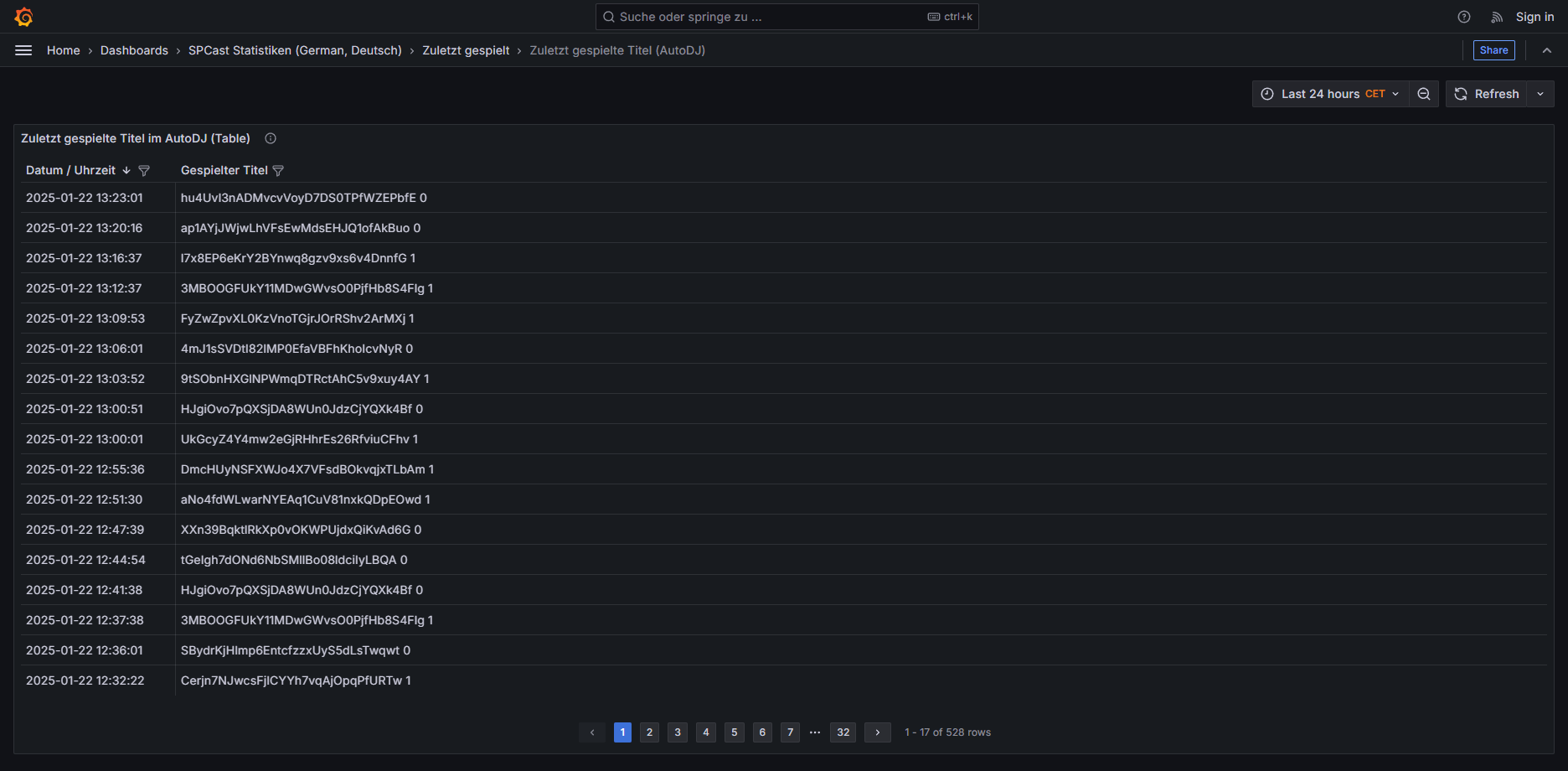
SPCast Statistics: Recently Played (AutoDJ)
Track history for automated AutoDJ playback showing recently broadcast songs and concurrent listener counts per track.
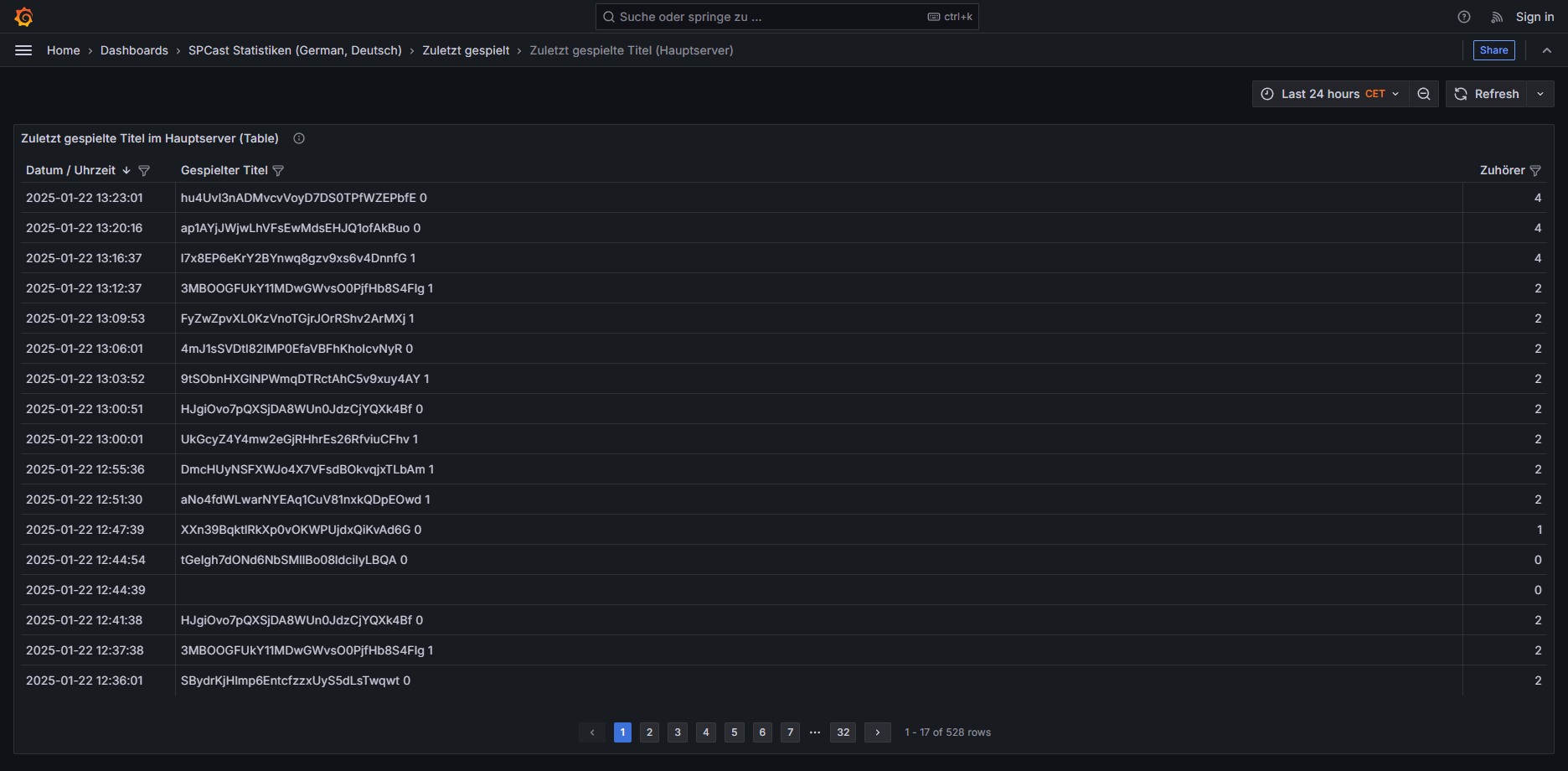
SPCast Statistics: Recently Played (Main Server)
24-hour track history on the main server displaying every song aired along with the number of listeners tuned in during each title.
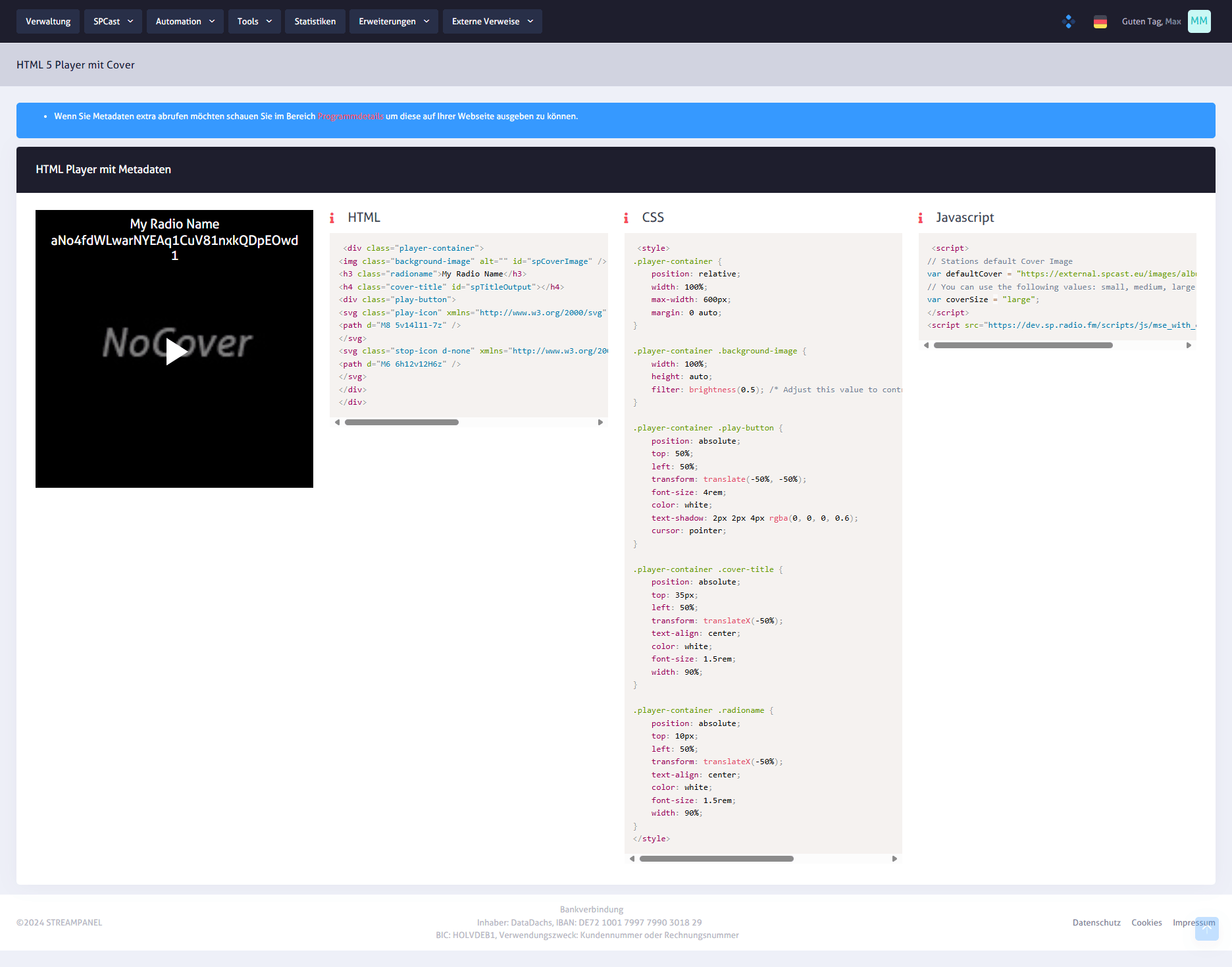
SPCast Tools: HTML5 Player with Cover Artwork
The HTML5 web player with album artwork displays live cover images and track metadata, fully customizable via HTML, CSS, and JavaScript.
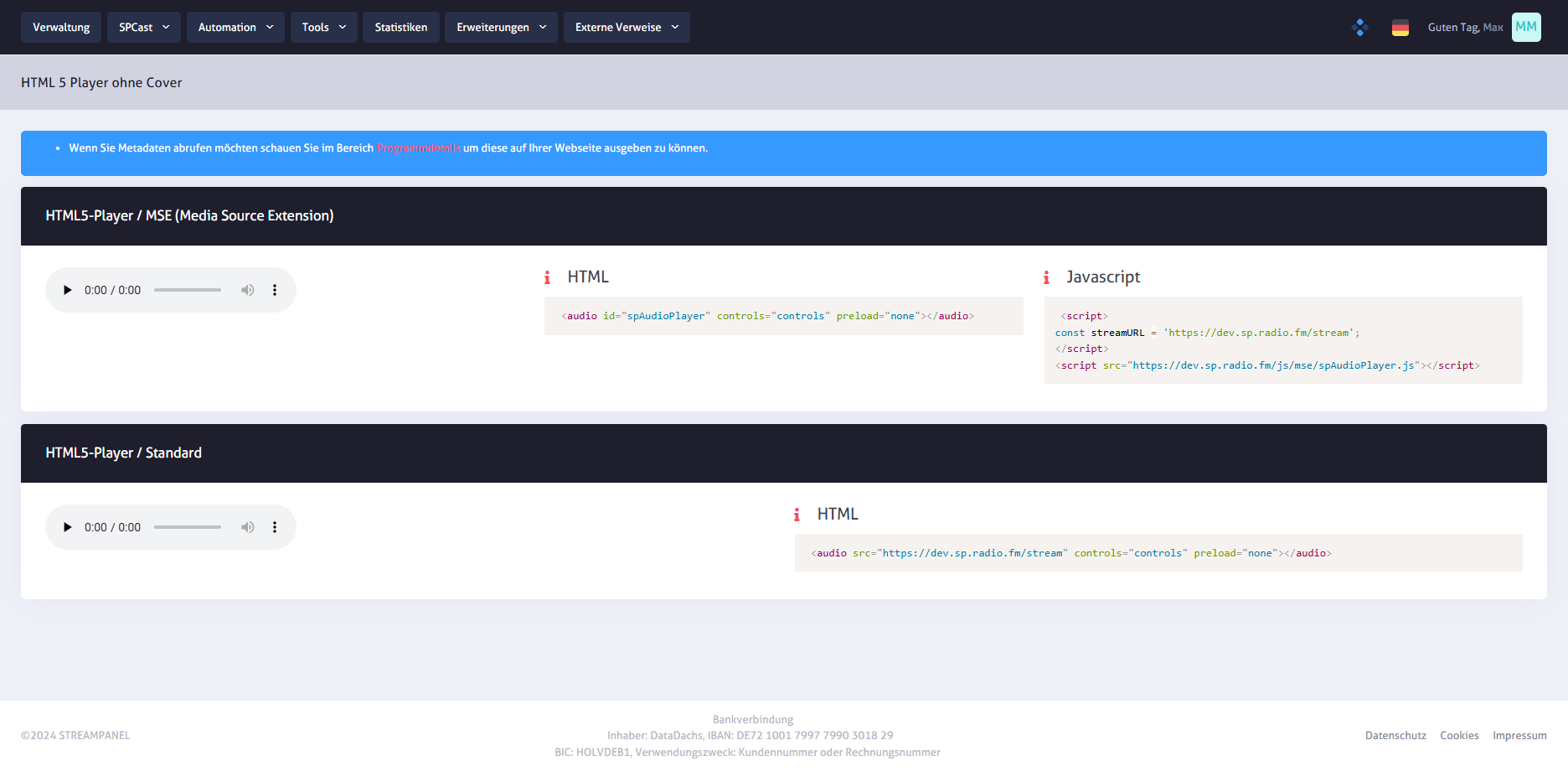
SPCast Tools: HTML5 Player without Cover
Compact HTML5 audio player without cover artwork for streamlined website embedding, available in standard or MSE JavaScript integration modes.

SPCast Tools: Muses Radio Player
Wide selection of skins and visual themes for the Muses Radio Player so you can embed a web player that matches your station branding.
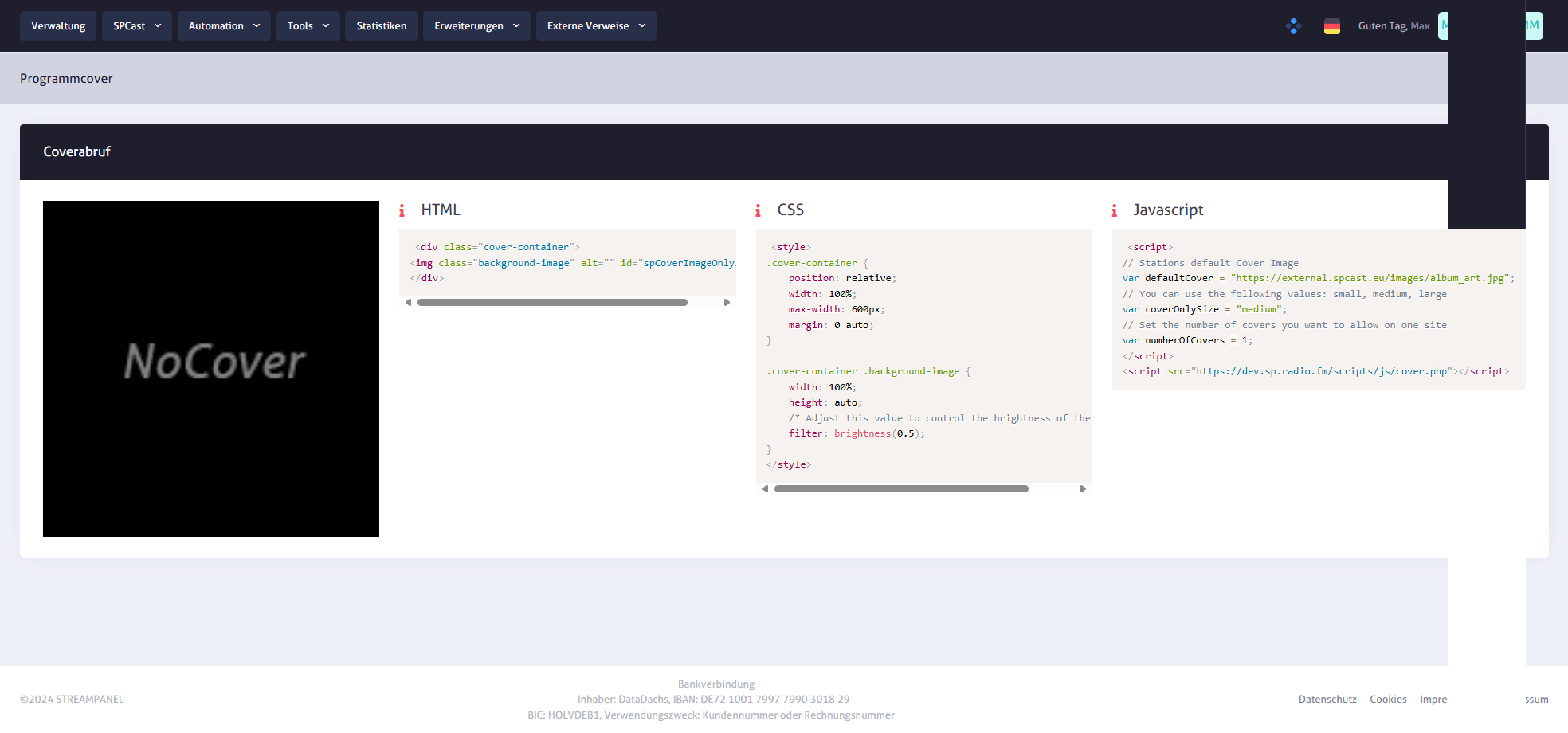
SPCast Tools: Program & Track Cover API
Dynamic cover artwork widget providing album art or show graphics for the currently playing title via flexible HTML, CSS, and JavaScript snippets.
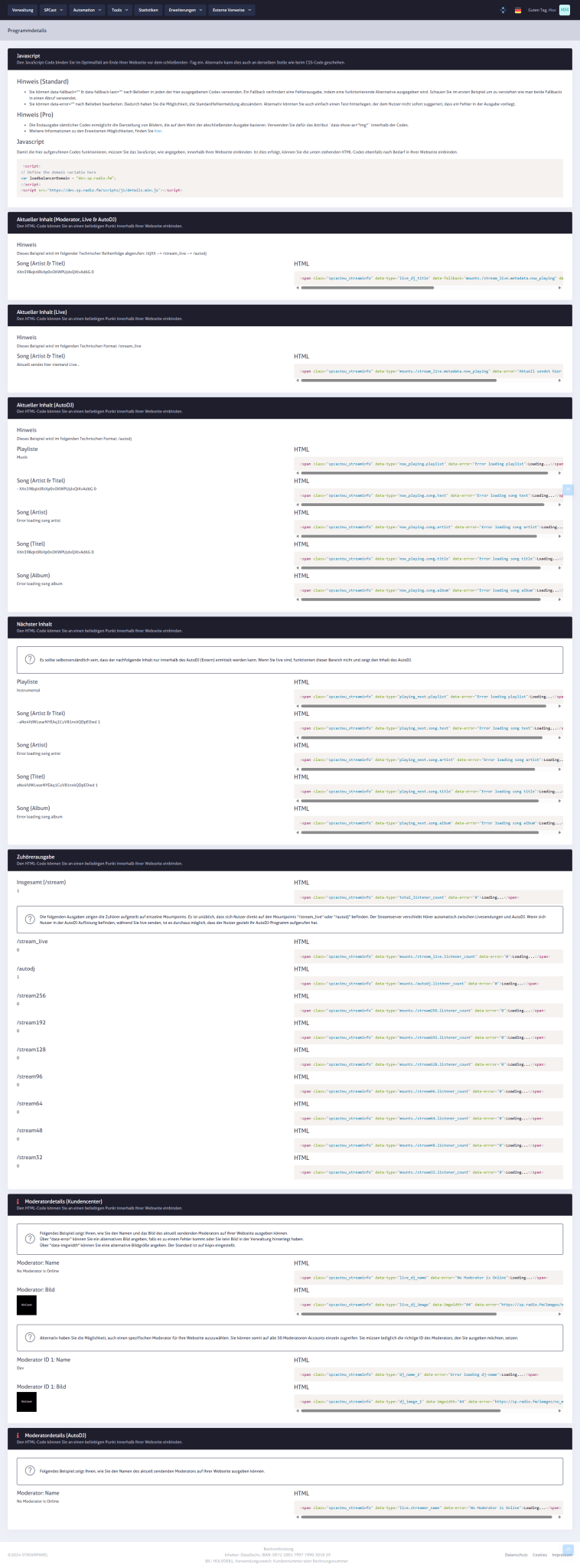
SPCast Tools: Program Details & Metadata Widgets
Embed current, upcoming, or previous track titles, playlists, listener counts, and moderator status directly into your website via HTML or JavaScript.
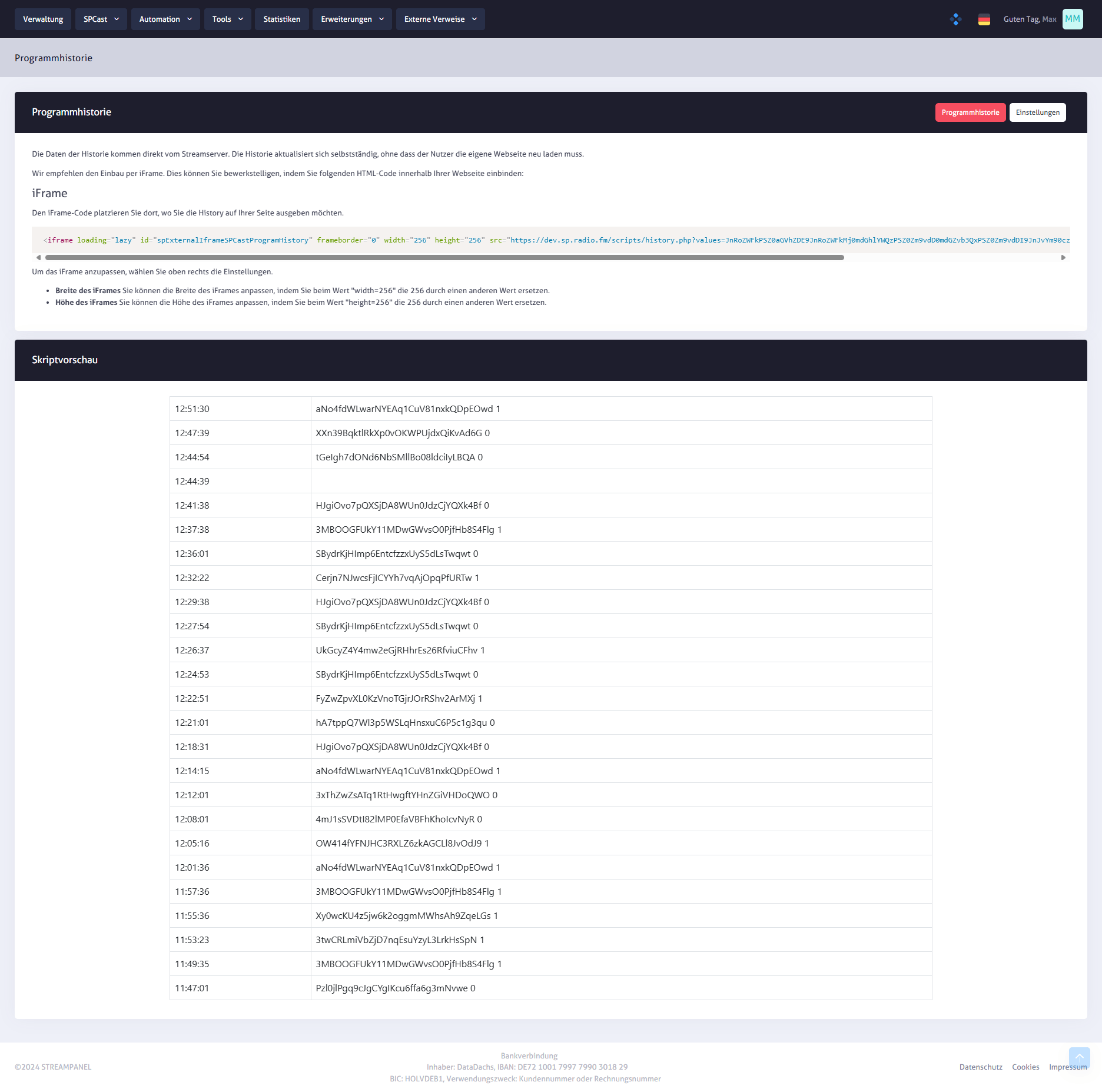
SPCast Tools: Program History Widget
Automatically lists recently played tracks from your stream and embeds seamlessly into your station website via responsive iFrame code.
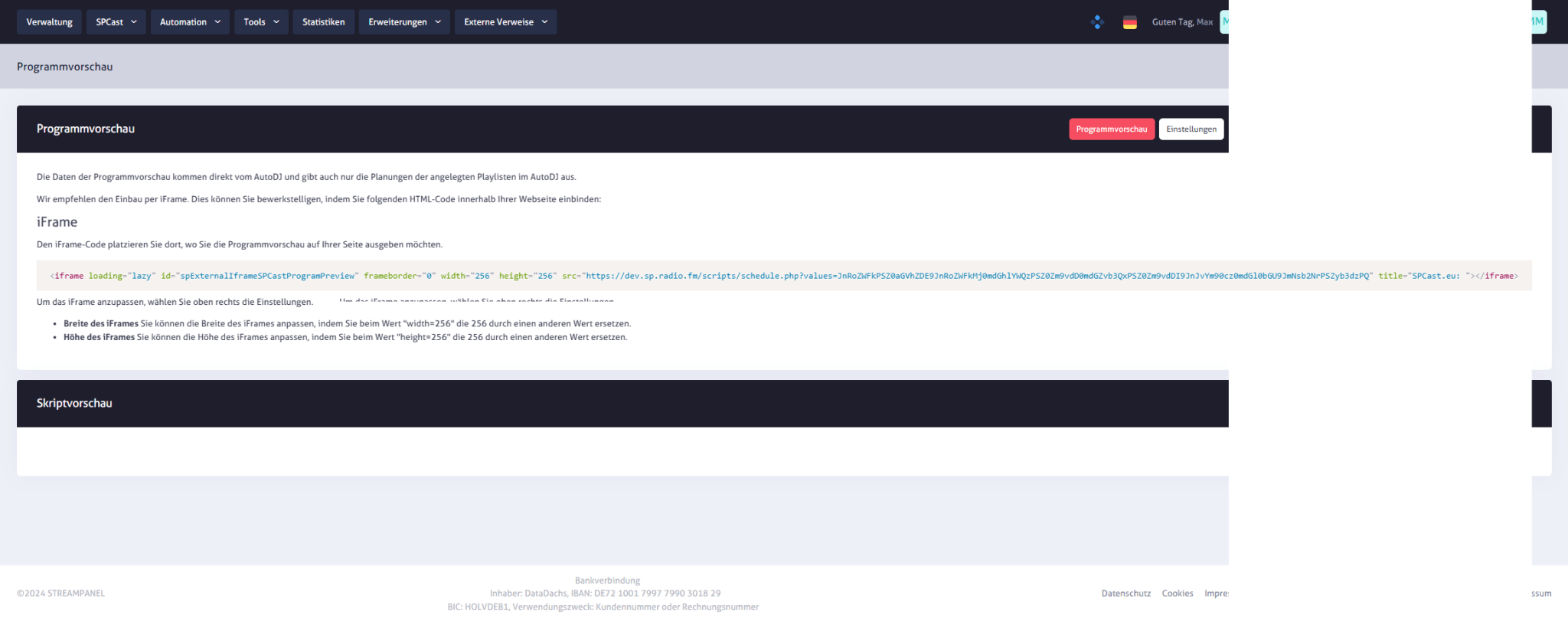
SPCast Tools: Program Preview Widget
Displays upcoming scheduled tracks from your AutoDJ queue and integrates directly into your website with customizable dimensions.
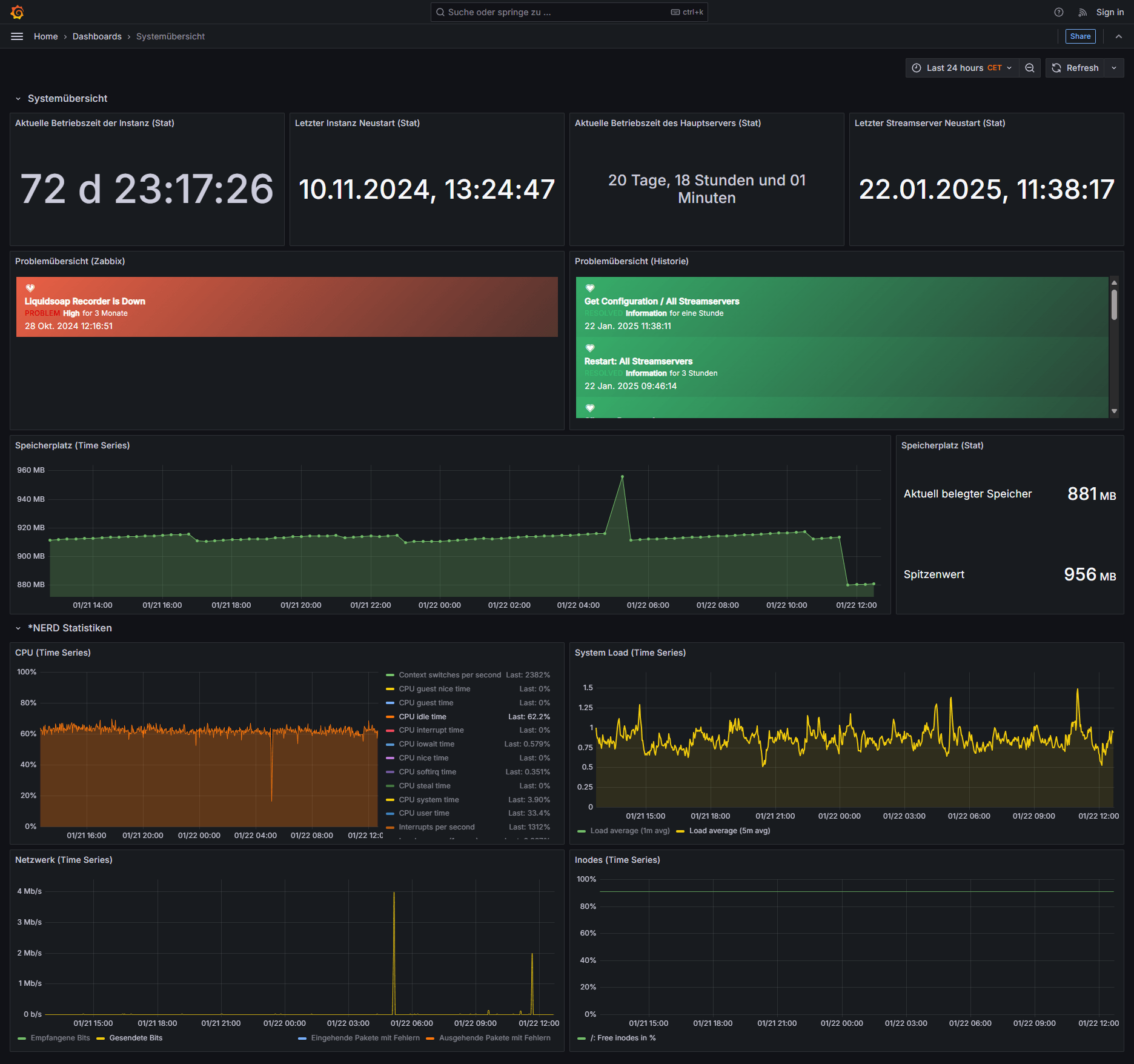
SPCast System Overview
Monitor all critical metrics of your dedicated SPCast server in real time, including uptime, restarts, memory usage, CPU load, and network throughput.